Yoink for iPhone and iPad

From today, November 25th, 2022, to the end of Sunday, November 27th, all my apps are on sale for Black Friday!


Yoink for Mac

Moving files and app-content on your Mac around can be cumbersome. Yoink for Mac makes it so much easier (plus lots of other features, like a clipboard monitoring widget – please refer to the website for more info):

Yoink for Mac currently holds a rating of 4.8/5.0 on the US Mac App Store and has frequently been featured by Apple

For Black Friday 2022, Yoink for Mac is over 30% off (USD 8.99 -> USD 5.99; EUR 10.99 -> EUR 6.99) on the Mac App Store.
Website (+ free, 30-day trial)
Yoink for Mac Usage Tips
Yoink on the Mac App Store (>30% off)
Yoink on Setapp


Yoink for iPad and iPhone

Yoink for iPad and iPhone is your place to store snippets and files, and sync them across all your iOS devices; via Handoff, you can transfer them to or from a Mac as well!

Yoink for iPad and iPhone currently holds a rating of 4.7/5.0 on the US App Store

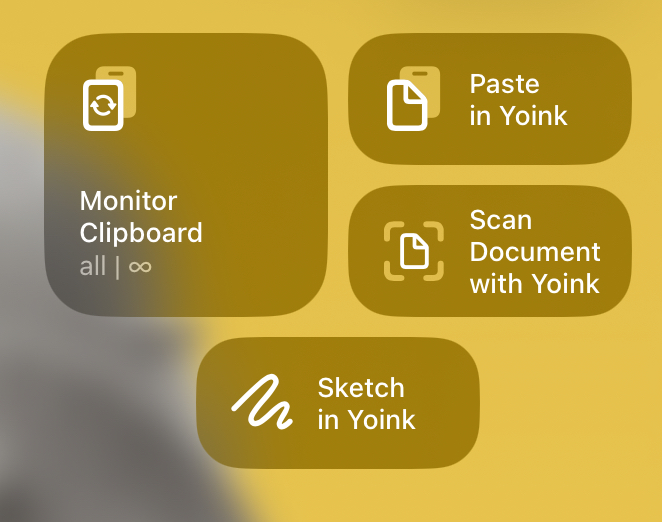
It also features clipboard monitoring, which, via Picture-in-Picture, works even if Yoink is completely dismissed. You can also use its Picture-in-Picture functionality to display images, websites, PDFs, eMails and more (you can even scroll through them).

For Black Friday 2022, Yoink for iPad and iPhone is over 25% off (USD 5.99 -> USD 3.99; EUR 6.99 -> EUR 4.99) on the App Store.
Website
Yoink for iPad and iPhone Usage Tips
Yoink on the App Store (> 25% off)


Transloader for Mac

With Transloader, you can initiate downloads on your Macs – remotely from your iPhones, iPads, and other Macs.

Transloader currently holds a rating of 4.8/5.0 on the US Mac App Store.

With its custom Link- and File Actions, you can automate Transloader to your liking whenever it receives a link (Link Action), or successfully downloads a file (File Action).

For Black Friday, Transloader is over 30% off (USD 9.99 -> USD 6.99; EUR 11.99 -> EUR 7.99) on the Mac App Store.
Website (+free, 30-day trial)
Transloader Usage Tips
Get To Know Transloader 3 Blog Series
Transloader on the Mac App Store (>30% off)
Free iOS counterpart app
Transloader on Setapp


ScreenFloat

With ScreenFloat, you can take your screenshots to the next level.
Take a screenshot, and it will float above all other windows and spaces, allowing you to reference their contents wherever you are. Organize shots with tags and categories in its Shots Browser.

ScreenFloat currently holds a rating of 4.9/5.0 on the US Mac App Store.

And don’t forget: ScreenFloat 2.0 is in development and will be a free upgrade for existing customers!

For Black Friday, ScreenFloat is over 33% off (USD 8.99 -> USD 5.99; EUR 10.99 -> EUR 6.99) on the Mac App Store.
Website (+free, 30-day trial)
ScreenFloat on the Mac App Store (>33% off)


Glimpses

Create stunning still-motion videos easily and quickly, with Glimpses.

Glimpses currently holds a rating of 5.0/5.0 on the US Mac App Store.

For Black Friday, Glimpses is over 35% off (USD 20.99 -> USD 11.99; EUR 23.99 -> EUR 14.99) on the Mac App Store.
Website (+free trial)
Glimpses on the Mac App Store (>35% off)


flickery

flickery is a fully-featured flickr client for your Mac.

Organize your photos quickly and easily with drag and drop, sort your galleries, upload and download, and more!

For Black Friday, flickery is over 25% off (USD 14.99 -> USD 10.99; EUR 17.99 -> EUR 12.99) on the Mac App Store.

Website (+free trial)
flickery on the Mac App Store (>25% off)


Enjoy 🤗

Read more

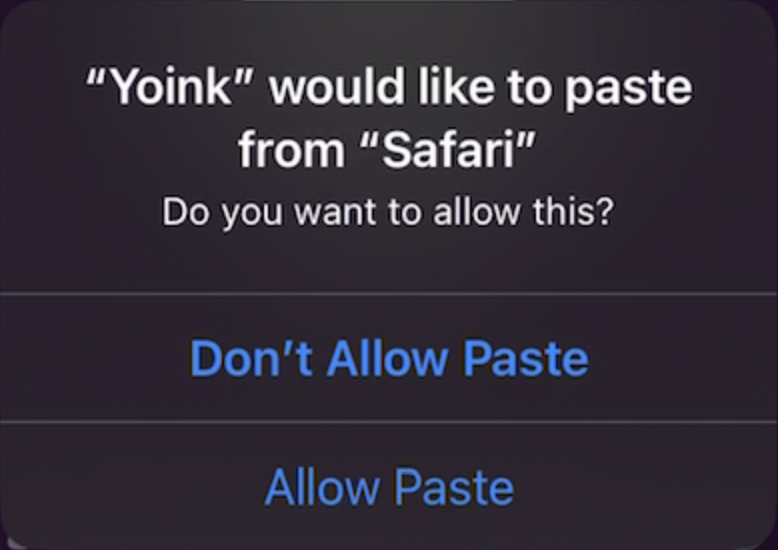
If you’re using Yoink for iPad and iPhone’s Clipboard Monitor – which, if active, automatically saves anything you copy from other apps, even if Yoink is completely in the background –, you’re probably familiar with this dialog since iOS 16:

While this is useful information for apps you wouldn’t expect to be pasting at that moment, if you’ve activated Yoink’s Clipboard Monitor, you don’t want to have to confirm each and every single paste operation – it can get annoying very quickly:

I did file a feedback with Apple for adding an option to “Always Allow” pastes during the early days of iOS 16, and thankfully, in iOS 16.1, they introduced exactly that:

How to enable Always Allow “Paste from Other Apps” for Yoink.

– Open Settings.app
– Scroll all the way down to Yoink and select it
– Tap on Paste from Other Apps
– Select Allow

With this enabled (you can revoke it at any time using the same steps), you go from the confirmation-hell above to this:

When copying now, Yoink’s Clipboard Monitor picks up the copied item right away, without confirmation. A notification that a paste occurred is displayed.

You’ll still get notified that Yoink pasted from the source app, but you won’t need to confirm the paste each time 🥲

Read more

Yoink for iPad and iPhone v2.4.1 is now available on the App Store.
It’s a maintenance update, improving its Clipboard Monitor, certain areas of its UI, as well as general performance and stability.

Yoink is a file- and snippet “shelf”, in a “hold this for me while I do something else for a while” sort of way.
Anything you can drag, copy, share or download, you can store in Yoink.
When you eventually need it, you can access files either directly from within the appYoink’s custom keyboard, and Siri Shortcuts. It also syncs across your iOS devices via iCloud.

What’s New in Yoink v2.4.1?

+ Improvements to Yoink’s Background Clipboard Monitor

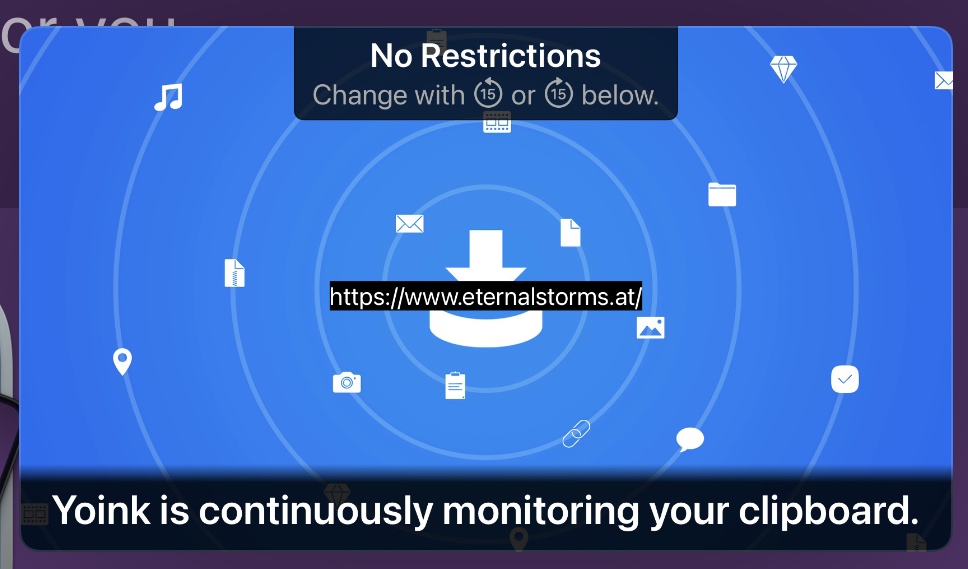
When active, the Clipboard Monitor will save anything you copy or cut in other apps, even if Yoink itself is in the background.

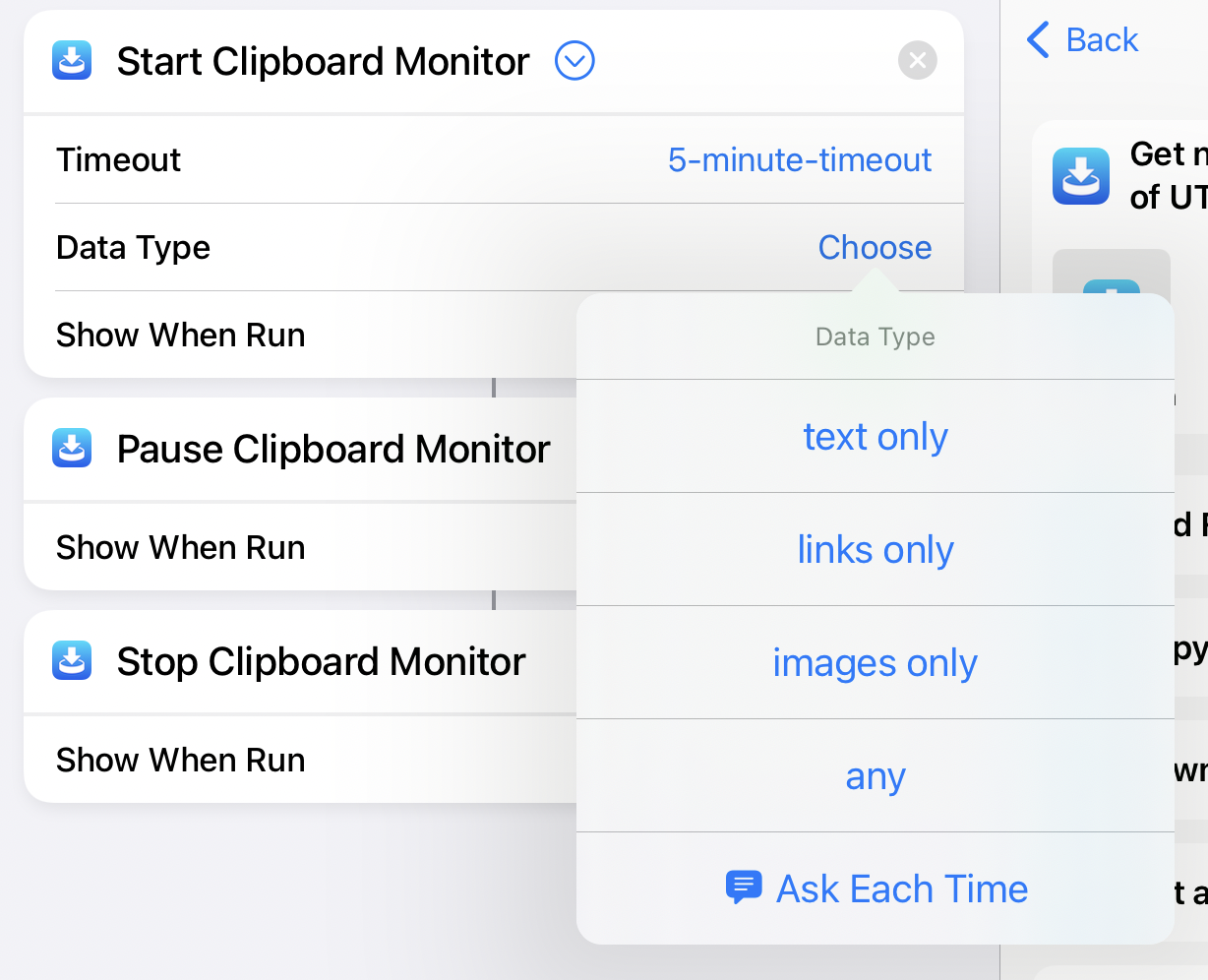
  • v2.4.1 now allows you to start, pause, update and end your Clipboard Monitor sessions with Siri Shortcuts.
    By “update”, I mean you can change its timeout, and which data type it should look out for (everything, links, texts or images).
  • In Settings.app > Yoink > Clipboard Monitor, you can enable Display Last Saved Item, which will show the item the Clipboard Monitor last stored in Yoink in its Picture-in-Picture overlay.
  • Also in Settings.app > Yoink > Clipboard Monitor, you can disable Confirm Monitoring, which, when starting the Clipboard Monitor from within Yoink, will forego all confirmation dialogs and start the Clipboard Monitor right away, as requested by a number of users.
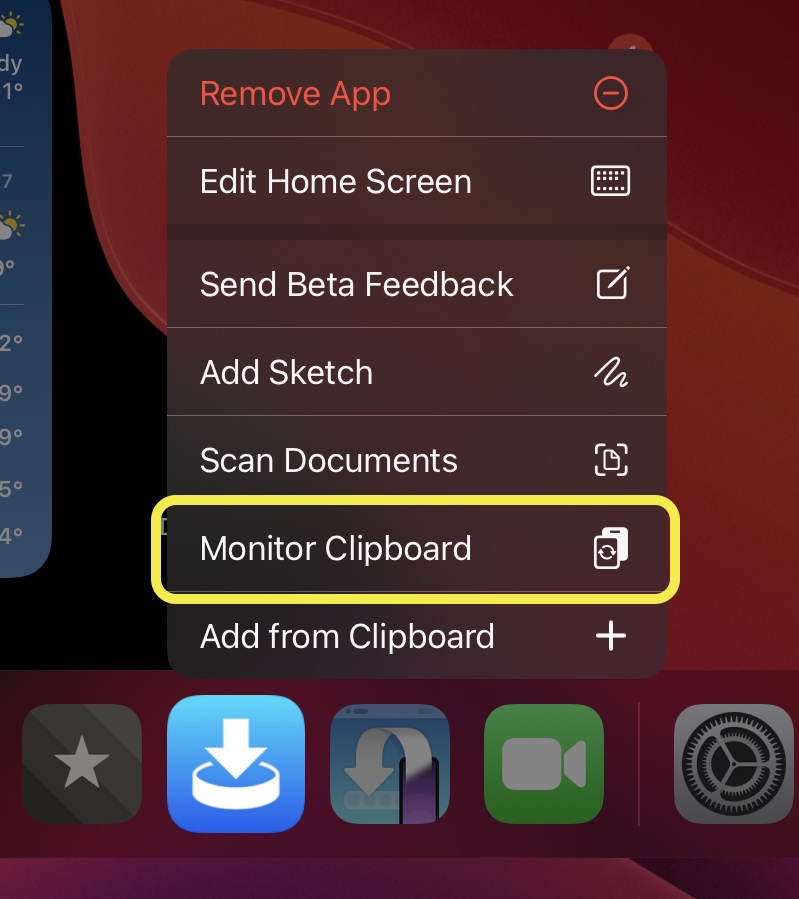
  • The Clipboard Monitor can now be started from Yoink’s Home Screen Quick Actions
  • Lastly, instead of terminating the Clipboard Monitor entirely when a time out occurs, it now pauses instead, making it easier to restart it.
+ General Improvements
  • Downloads now show their state if Use Small Previews is enabled in Settings.app > Yoink > Appearance
  • Downloads now show the size of the download, if available
  • The UI for renaming files has been revamped to use more space
  • Editing a URL now refreshes its icon
  • Yoink’s Share extension now works faster
  • Maps/Location items are now a separate option in Yoink’s filter (accessible by tapping Showing All at the bottom)
  • Many bug- and crash fixes

Where can I get Yoink?

Yoink is available for iPad and iPhone on the App Store – a one-time purchase of $5.99 / € 5,99 / £ 4.99.
It requires iOS 14 or newer.
To sync across your iOS devices, an iCloud account is required.

Links

Yoink for iPad and iPhone Website
Yoink on the iOS App Store
Yoink for iOS Usage Tips
Yoink for iOS Press Kit (.zip download)

Yoink is also available for Mac:
Yoink for Mac Website
Yoink on the Mac App Store
Yoink on Setapp
Yoink for Mac Usage Tips
Yoink for Mac Press Kit (.zip download)

I hope you enjoy Yoink’s recent updates. If you have any feedback or questions, don’t hesitate to mail me, I’d love to hear it!

Stay healthy and safe!

Read more

Yoink for iPad and iPhone v2.3.5 introduced Background Clipboard Monitoring, which, if enabled, stores anything you copy, even if Yoink itself is in the background, effectively giving you a clipboard history.

With version 2.4, I’ve improved it by adding the ability to only monitor for specific data types, and to temporarily pause the monitor.

Background Clipboard Monitoring in Action on iOS 15 and iPadOS 15
Captured on my iPad using iPadOS 15, lightly edited for brevity but otherwise unaltered

For demonstrative purposes, I kept Yoink in the foreground as a Slide-Over app, just to show what gets added when.
But all of this works even if Yoink is not visible on your display and put in the background.

In the video above, I enable Yoink’s clipboard monitor and consecutively copy an image, a link, and some text; all get stored in Yoink.
I then use the Picture-in-Picture’s fast forward button to tell Yoink to only watch for text. With that option set, I again copy an image, a link, and some text; this time only the text is stored in Yoink.
I click the fast forward button again to make Yoink only save links, and repeat the copy-procedure of an image, a link, and some text; now, only the link gets stored in Yoink.
A final time I click the fast forward button to have Yoink only watch for images and – you guessed it – when I copy an image, a link and some text, only the image is added to Yoink.

Next, I pause the clipboard monitor by using Picture-in-Picture’s Pause button. Now, Yoink does not react to any copy events at all. By pressing the Play button in PiP, I reactivate the clipboard monitor.

Notes on the monitor’s behavior

The clipboard monitor attempts to ignore sensitive data, like passwords. For this, it refers to the pasteboard data types proposed at nspasteboard.org, and checks if there are any password-type app names contained in the pasteboard data types, like “1password”, or “keychain”, for example. If encountered, Yoink ignores the copy-event and waits for the next.

As for energy consumption, it is very light-weight.
The images you see in Picture-in-Picture are static – it doesn’t play video, it doesn’t play audio.
Yes, Yoink will continue running in the background because of this, but all it does is check your pasteboard every couple of seconds (and not even the data directly, only a “changeCount” value provided by the API).
If a change has occurred, it will save the content to Yoink and to disk.
Syncing – if enabled – only occurs when the app comes back to the foreground, so there is no added network activity.

Other Changes in Yoink v2.4

– I improved Yoink’s compatibility with GarageBand. Dragging an audio file to GarageBand from Yoink now works correctly
– Picture-in-Picture for arbitrary content now properly displays Map location items
– I fixed a memory leak and a couple of app crashes

Pricing and Availability

Yoink is available on the iOS App Store as a one-time purchase, for $5.99 / €5.99.
It is localized in English, German, Simplified Chinese, Japanese and Korean, with more languages to follow.

Links

Yoink for iPad and iPhone Website
Yoink on the iOS App Store
Yoink for iOS Usage Tips
Yoink for iOS Press Kit (.zip download)

Yoink is also available for Mac:
Yoink for Mac Website
Yoink on the Mac App Store
Yoink for Mac Usage Tips
Yoink for Mac Press Kit (.zip download)

I do hope you enjoy Yoink!
If you have any feedback or questions, don’t hesitate to mail me, I’d love to hear from you.

Stay healthy and safe!

Read more