Yoink for iPhone and iPad is your files and snippet shelf for anything you can drag, copy, share, or download. Version 2.5.6 fixes its icon on iOS 27 and fixes a crash.
What is Yoink?
Yoink for iPhone and iPad stores anything you can throw at it: file drags, content like images or text, eMails, downloads, and more. It syncs across your iOS devices. It can automatically store anything you copy – even if Yoink is in the background – with its Picture-in-Picture Clipboard Monitor. It lets you “pin” PDFs, eMails, Websites, Images, and more in Picture-in-Picture for reference in any app. It integrates seamlessly with the Files app. It lets you build powerful Shortcuts. It’s there when you need it.
What’s New in Yoink v2.5.6?
Fixes a rendering issue of Yoink’s app icon on i(Pad)OS 27
Fixes a crash that could occur when restoring files from Trash
Yoink for iPhone and iPad is your files and snippet shelf for anything you can drag, copy, share, or download. Version 2.5.5 makes its Files app integration more performant, adds Italian, French and Portuguese (Brazil) localizations, and fixes bugs.
What is Yoink?
Yoink for iPhone and iPad stores anything you can throw at it: file drags, content like images or text, eMails, downloads, and more. It syncs across your iOS devices. It can automatically store anything you copy – even if Yoink is in the background – with its Picture-in-Picture Clipboard Monitor. It lets you “pin” PDFs, eMails, Websites, Images, and more in Picture-in-Picture for reference in any app. It integrates seamlessly with the Files app. It lets you build powerful Shortcuts. It’s there when you need it.
What’s New in Yoink v2.5.5?
Adds Italian, French and Portuguese (Brazil) localizations
The app’s Files integration is now more performant
Fixes a couple of bugs regarding sketching and markup
Yoink for iPhone and iPad is your files and snippet shelf for anything you can drag, copy, share, or download. Version 2.5.4 improves its Files app integration, cleans up the UI a bit and makes a bunch of improvements and fixes.
What is Yoink?
Yoink for iPhone and iPad stores anything you can throw at it: file drags, content like images or text, eMails, downloads, and more. It syncs across your iOS devices. It can automatically store anything you copy – even if Yoink is in the background – with its Picture-in-Picture Clipboard Monitor. It lets you “pin” PDFs, eMails, Websites, Images, and more in Picture-in-Picture for reference in any app. It integrates with your Files app. It lets you build powerful Shortcuts. It’s there when you need it.
What’s New in Yoink v2.5.4?
In the Files app, Yoink now only shows the highest-fidelity representation of a file instead of all of them1, making it easier to navigate and select files
New contextual menu items in the Files app allow you to copy the contents of a file (as opposed to the file path), or a plain text representation of rich text formats
The stability and performance of the app have been improved, while fixing a few bugs and UI issues
For instance, a rtf “rich text” file in Yoink has its rich text data representation, as well as a plain text one. Previously, Yoink would show this file as two files inside a container folder in Files.app, now it’s one file: the rtf. ↩︎
It’s been a while since I last participated in a Black Friday deal, so this year’s a doozy. All my apps are 50%-77% off from November 27th, 2025 to December 1st, 2025.
Yoink for Mac is a temporary place for your file drags. Whether you want to collect images from a website, text snippets from a document, or move files around in Finder, Yoink offers a “shelf” you can place them in so you can move freely to the files’ actual destination. It can hold virtually anything you can drag and appears whenever you start to drag something. It’s also highly customizable to fit your needs.
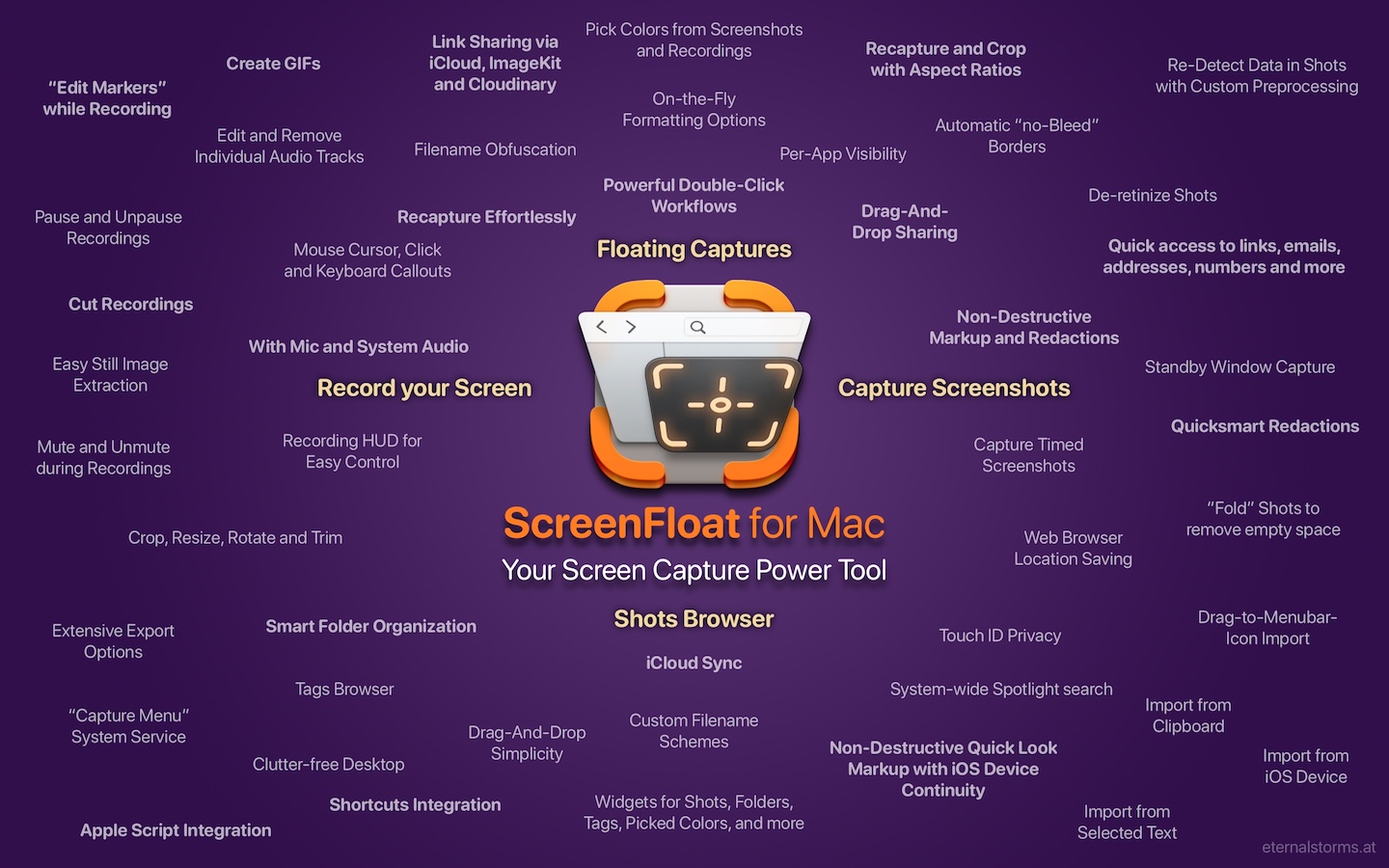
ScreenFloat is your Mac’s Screen Capture Power Tool. Capture screenshots and recordings that float above other windows, allowing you to reference anything on your screen, anywhere. It’s like Picture-in-Picture, only for screen captures. It keeps your Desktop clutter-free, as every capture you make is stored in its Shots Browser, where you can manage, organize and find your shots. They’re also synced across your Macs over iCloud. Easily copy the non-copyable, as ScreenFloat recognizes text, barcode and faces in your shots, which also allows you to effortlessly redact sensitive parts of your screenshots. Add non-destructive annotations, redactions and markup, crop, “fold“, resize, or de-retinize your shots. Quickly pick colors. Mute, trim and cut your recordings with the aid of “edit markers” you can place while recording. Create shareable and embeddable links for your captures using iCloud, ImageKit.io or Cloudinary.com. And so much more.
With Transloader, you manage downloads on your Macs, remotely from your iPhone, iPad, and other Macs. With powerful Link- and File Actions, you have total control over what happens with links you send to your Macs.
DeskMat covers your messy desktop with the click of a button. For nicer streams, video conferencing, and distraction-free work!
6. Tameno for Apple Watch, iPhone, iPad, Mac and Apple TV (50% off) 🔗
Keep your peace of mind, while Tameno keeps the pace. With auto-repeating “tapping” timers, you always know when to move on to the next step. Be it during exercise, workout, stretching, brushing your teeth, watering your plants, doing yoga or meditation, this versatile utility keeps on tickin‘ .
Yoink for Mac, ScreenFloat for Mac and Transloader are also part of Setapp Yoink for Mac is part of Bundlehunt’s 2025 Black Friday macOS Bundle There is no difference in functionality between the different versions of the apps