Release Notes

Tameno for Apple Watch, iPhone, iPad, Mac and Apple TV helps you stretch, brush your teeth, do exercises, water your plants, meditate, do yoga, and so much more, with auto-repeating timers. Set an interval, and it’ll inform you every time it elapses.
Version 1.2.5 adds more audio feedback options, improves background execution on the Watch, and more.


What is Tameno?

I have an electric toothbrush. It has a built-in 30sec timer, so I can brush each quadrant of my teeth for the same amount of time. But what about each side of each quadrant? I needed a 10-second self-repeating interval that would tell me to move on. That’s where the idea for Tameno came from.
Now, I just start Tameno at a 10 second interval, and until I’m done brushing, it’ll let me know that 10 seconds have passed continuously. Perfect. Now I can also do my stretches without having to count in my head, or water my hedge-plants for the same amount of time. Bliss!
With widgets on your lock screen, home screen or in Control Center, and custom shortcuts in the Shortcuts app, your favorite intervals are always just a tap away!


What’s New in Tameno v1.2.5?

  • New audio feedback sound options: In addition to “Tick”, there’s now “Bamboo”, “Wood”, “Chime”, “Glass”, “Service Bell” and “Bell”.
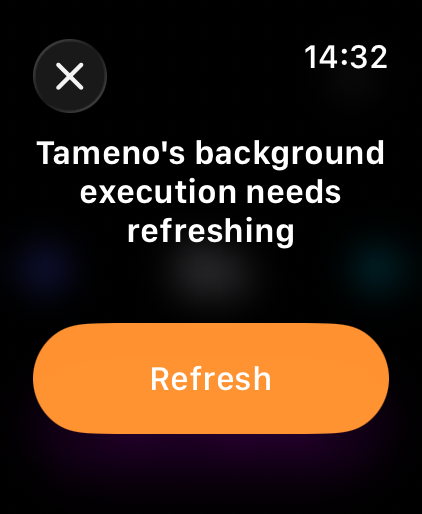
  • The background execution on Apple Watch has been improved, in that it now lets you know when its allotted time is about to run out so you can continue without interruptions
  • Fixes UI issues on Apple TVs running tvOS 26
  • More haptic feedback, better scrolling-adjustments on macOS, and other fixes

👉 For the full release notes, please click here 👈


Links and Availability

➡️ Website

❗️Tameno is a one-time lifetime universal app purchase. That means you purchase it once (on the store of your choice), and are then free to use it on your Apple Watches, and iPhones, and iPads, and Macs, and Apple TVs.
The app requires macOS 13, iOS 16, watchOS 9.4 and tvOS 16 or newer and is currently localized into English, German, French, Italian, Spanish, Dutch, Japanese and Simplified Chinese.

🖥️ Mac App Store
📱 iPhone App Store / iPad App Store
⌚️ watchOS App Store
📺 tvOS App Store

💡 Get to Know Tameno (User Guide)

💌 Contact & Connect


If you have any feedback or questions, please don’t hesitate to use the contact link above, or below : )
Have a great day, and thank you for stopping by.
Read more

This year’s OS updates (v26) will be released by Apple later today, so here’s an update on my apps as well!


Yoink for Mac v3.6.102 🔗

Yoink looks and runs beautifully on macOS 26 Tahoe and continues to be there for all your drag and drop needs!


Yoink for iPhone and iPad v2.5.2 🔗

The same goes for Yoink for iPhone and iPad – it shines on iOS 26 and will continue to be your file and snippet companion, and versatile clipboard monitor!


ScreenFloat for Mac v2.3.3 🔗

ScreenFloat brings its screen capture all-rounder companion powers to macOS Tahoe. From a new Shots Browser design for Liquid Glass to useful Control Widgets that give you quick access to ScreenFloat’s capture functionality, the app is ready for the new OS.


DeskMat v1.2 🔗

DeskMat covers your messy Desktop instantly. On macOS Tahoe, now also from the comfort of your Control Center.
In addition, there’s a new setting to keep Desktop Widgets visible and only hide file icons (available on macOS 14 and newer).


Transloader v3.1.7 🔗

Transloader lets you start and manage downloads on your Macs, remotely from your iPhone, iPad, and other Macs, and continues to do so on iOS, iPadOS and macOS 26.


Tameno v1.2.1 🔗

Tameno taps you repeatedly in intervals for stretching, workouts, exercises, meditation, yoga, the 20-20-20 rule, and so much more! And now does it better on mac- , watch-, i-, iPad-, and tvOS.


My other apps (like Glimpses, Citator, Upsies, BackLog and SiriMote) will receive updates soon, too.


Links and Availability

– Yoink for Mac – Better Drag and Drop

➡️ Website + free, 28-day trial
🖥️ Mac App Store (one-time purchase)
🔁 Setapp (over 200 awesome apps with one subscription)
💡 Usage Tips

– Yoink for iPhone and iPad – Your Files and Snippets Shelf

➡️ Website
📲 App Store (one-time purchase)
💡 Usage Tips

– ScreenFloat for Mac – Your Screen Capture Companion

➡️ Website + free, 28-day trial
💳 Direct Purchase (one-time purchase)
🖥️ Mac App Store (one-time purchase)
🔁 Setapp (over 200 awesome apps with one subscription)
💡 Get to Know ScreenFloat

– DeskMat – Cover Your Messy Desktop

➡️ Website + free, 28-day trial
💳 Direct Purchase (one-time purchase)
🖥️ Mac App Store (one-time purchase)
💡 Get to Know DeskMat

– Transloader for Mac, iPhone and iPad – Manage Downloads Remotely

➡️ Website + free, 28-day trial
🖥️ Mac App Store (one-time purchase) / 🔁 Setapp (over 200 awesome apps with one subscription)
📲 iOS App Store (free)
💡 Get to Know Transloader

– Tameno – Timers on Auto-Repeat

➡️ Website
🖥️ Mac App Store / 📲 App Store (one-time universal purchase for Apple Watch, iPhone, iPad, Mac and Apple TV)
💡 Get to Know Tameno

💌 Contact & Connect

Thank you. I hope you’ll enjoy my apps : )

Read more

I’ve got a couple of updates for you today: Yoink for iOS has been updated with new widgets and Control Center access, Tameno gets new Control Center and watchOS widgets, and Yoink for Mac gets a brand new Clipboard History widget.


Yoink for iPad and iPhone

Yoink for iOS – your files and snippets shelf for anything you can drag, copy, share and download – gets a couple of cool new widgets for your home screen and, on iOS 18, your Control Center, while fixing a couple of issues along the way.

What’s New in Yoink for iPad and iPhone v2.5?

+ iOS 18 Control Center Widgets

These allow you to:
– start monitoring your clipboard with Yoink in the background (configurable with a time-out, and a filter (save everything / only images / only texts / only links)
– Paste your clipboard into Yoink manually
– Scan a document with Yoink
– Sketch in Yoink

+ New File List Widget for your Home Screen

Get quick access to everything you stored in Yoink.
It’s configurable, so you can let it only show images, or links, for example.
Additionally, you can set it up to open files in Picture-in-Picture, so you can open a PDF, an eMail, or even a website and have it ready in any app you are in the PiP overlay.

+ Bug fixes and improvements

I’ve also fixed a couple of issues with Yoink’s keyboard – which allows you to access files stored in Yoink whenever you’re editing text, the clipboard monitor, and the main list display of items.

Availability and Links

Yoink for iPad and iPhone is exclusively available on the App Store in English, German, Chinese (Simplified), Japanese and Korean.
It’s a one-time purchase at USD 5.99 / EUR 6,99 / GBP 5.99 .

Yoink for iPad and iPhone Website
Yoink on the iOS App Store
Yoink for iOS Usage Tips


Tameno

Tameno – your auto-repeating tapping timer – now can be started from iOS 18’s Control Center, and has a new interactive widget for your watchOS 11-equipped Apple Watch.

What’s New in Tameno v1.2?

+ iOS 18 Control Center Widgets

Get quick access to your last used and your favorite interval, right from your Control Center.

+ Interactive Widgets for watchOS 11

Set an interval right from your Smart Stack and off you go!

There’s also a new “Recent Intervals” widget, giving you access to the last three intervals you used.

Availability and Links

Tameno is available in English and German for Apple Watch, iPhone, iPad, Mac and Apple TV as a universal app on the iOS and Mac App Store. A one-time purchase of USD 3.99 / EUR 3.99 / GBP 3.99 gives you access to all of them.

Tameno Website
Tameno on the iOS App Store
Tameno on the Mac App Store
Get to Know Tameno – Blog Post Series


Yoink for Mac

Yoink for Mac – the app that drastically improves drag and drop on your Mac – has a new Clipboard History widget, making it easier and quicker than ever to re-copy something, place something in Yoink, pin it, or remove it.

What’s New in Yoink v3.6.93?

+ A New and Improved Clipboard History Widget

Click on the image or the file title to copy the item, press the pin to pin, the Yoink icon to send the file to Yoink, or the x to delete it.

Availability and Links

Yoink for Mac is available in English, German, Japanese, Korean, French, Italian, Portuguese and Chinese (Simplified) as a one-time-purchase on the Mac App Store (USD 8.99 / EUR 9.99 / GBP 8.99), or part of a Setapp subscription.

Yoink Website
Yoink on the Mac App Store
Yoink on Setapp
Yoink for Mac Usage Tips


Enjoy : ) Should you have any feedback or questions, please don’t hesitate to get in touch!

Read more

Tameno allows you to set ever-repeating, “tapping” timers. This is perfect for repetitive tasks, like watering your plants for 30 seconds each, or brushing each side of each quadrant of your teeth for 10 seconds, or stretching different parts of your body 15 seconds each, or meditation, or yoga. [insert your use-case here].

Tameno running on an Apple Watch

What’s New In Tameno 1.1?

+ Complications and Widgets for your Apple Watch (requires watchOS 10)

The complications and widgets on your Watch let you easily start your last used interval, or just launch the app.

+ iOS Widgets on your Lock Screen

Pictured above, the circular “Last Used Interval” widget and the “set an interval on-the-fly” widget are displayed in all their glory, on an eye-shattering yellow background!

+ Intervals in the Widget can now be changed more easily

As seen here with the widget on Mac (but it also applies to the iOS widget, of course), you can now change either minutes or seconds, allowing you to much more comfortably set the interval you need.

+ Bug fixes, like properly displaying intervals in the iOS’ app’s Quick Actions menu

Links and Availability

Tameno is a universal one-time purchase on the App Stores, so a single purchase allows you to use the app on your Apple Watches, iPhones, iPads, Macs, and Apple TVs.
It costs USD 3.99 / EUR 3,99 / GBP 3.99 and is available in English and German. It requires watchOS 9.4, iOS 16.6, iPadOS 16.6, macOS 13.5, and tvOS 16.6.
Complications and Widgets on Apple Watch require watchOS 10. The interactive widget requires macOS 14 and iOS 17.


I hope you’ll enjoy the app and the update!
Should you have any questions or feedback, please don’t hesitate to contact me!

Read more