Mac app

ScreenFloat for Mac v2.3.6 is now available and adds auto-import for screenshots made with macOS’ built-in tools, new double-click actions, and more!

“The most used tool on my Mac”

wendylou @ Mac App Store

What is ScreenFloat?

ScreenFloat is your Mac’s Screen Capture Power Tool.
Capture screenshots and recordings that float above other windows, allowing you to reference anything on your screen, anywhere. It’s like Picture-in-Picture, only for screen captures.
It keeps your Desktop clutter-free, as every capture you make is stored in its Shots Browser, where you can manage, organize and find your shots. They’re also synced across your Macs over iCloud.
Easily copy the non-copyable, as ScreenFloat recognizes text, barcode and faces in your shots, which also allows you to effortlessly redact sensitive parts of your screenshots.
Add non-destructive annotations, redactions and markup, crop, “fold“, resize, or de-retinize your shots. Quickly pick colors.
Mute, trim and cut your recordings with the aid of “edit markers” you can place while recording.
Create shareable and embeddable links for your captures using iCloud, ImageKit.io or Cloudinary.com.
And so much more.

A screenshot is just a screenshot. Until you use ScreenFloat.

Tip: Check out the Get to Know ScreenFloat 2 Blog Post series for a deep-dive into its functionality and what it can do for you.

“A brilliant app”

Prof. Brian Whalley @ Mac App Store

What’s New in ScreenFloat v2.3.6

  • Screenshots and recordings you make with macOS’ built-in tools can now be auto-imported by ScreenFloat
  • A new double-click action for floating shots allows you to copy detected data like emails, phone numbers and links even faster
  • Share more quickly with the new Share sheet
  • Smaller improvements and bug fixes

📋 For the full release notes, please click here.

“Best of the Bunch”

Mac Owner Since 1984 @ Mac App Store

Links and Availability

ScreenFloat is a one-time purchase on the Mac App Store or my website for currently USD 17.99 / EUR 19,99 / GBP 17.99.
It is also part of Setapp.
There is no difference in functionality between the different versions.
As with all previous updates, v2.3.6 is completely free for existing customers.
A free, 28-day trial is available for download.
ScreenFloat requires macOS 12.3 Monterey (macOS 14 Sonoma recommended for full functionality)
A (free) iCloud account is required if you want to sync your ScreenFloat library across your Macs.
ScreenFloat is currently localized in English, German, Chinese (Simplified), and Dutch.

🔗 ScreenFloat Website + Free Trial + Direct Purchase
🖥️ ScreenFloat on the Mac App Store
➡️ ScreenFloat on Setapp (offers a 7-day trial for all 200+ apps, including my Mac apps Yoink and Transloader)
🤩 Eternal Storms Software Productivity Bundle on the Mac App Store (includes ScreenFloat, Yoink for Mac, Transloader and DeskMat at ~20% off)

📖 Get to Know ScreenFloat 2 Blog Post Series
💡 ScreenFloat 2 Usage Tips

💌 Contact & Connect

A note on in-app purchases in the Mac App Store version: These are completely voluntary tips you can give me to support me and the development of my apps beyond the one-time purchase price. No additional functionality can be unlocked by giving tips. Your one-time purchase gives you to the complete functionality of ScreenFloat.

“An app that I honestly don’t know how I lived without it”

Chariklia M. @ Setapp

I hope you enjoy ScreenFloat (and my other apps) : )

“One of my most used Apps!”

paradox2222 @ Mac App Store
Read more

Transloader for Mac, iPhone and iPad lets you start and manage downloads on your Macs, remotely from your iPhone, iPad, or other Macs.
Version 3.1.90 now supports HTTP basic auth for logging in before downloads, improves downloading in general, accepts url schemes other than http(s), ftp(s) and magnet, and makes a bunch of improvements and fixes overall.

Incredibly useful! […] It’s magic!

X.Alex.D; Mac App Store

What is Transloader?

With Transloader, you can start and manage downloads on your Macs, remotely, from your other devices, like an iPhone, iPad, or another Mac.

Link and File Actions let you change Transloader’s behavior, like open links from specific domains or url schemes in different apps, or open completed downloads for further processing with other apps, Automator actions or Shortcuts.

Login required? No problem. Transloader can sync login cookies or HTTP basic auth credentials via iCloud.

And with notifications, you’re always in the know about the status of your downloads.

Love this app! […] Simple, reliable, and exactly what I need.

Celatone; Mac App Store

What’s New in Transloader v3.1.90?

  • In addition to login cookies, Transloader can now log in to sites using and synchronize HTTP Basic Authorization login credentials (macOS 12 or newer required)
  • The handling of links and downloads has been improved:
    • The app is no longer blocked when moving larger files to external drives
    • If a file move operation fails, the “failed” notification is now correctly sent
    • Downloads that require login now reflect this state more reliably in the UI
    • The app is no longer restricted to url schemes http(s), ftp(s), or magnet
    • The validation of added links has been improved
  • Transloader is now more patient when waiting for the completion of Link- and File Actions with Shortcuts
  • The app can now better handle large link collections
  • Many bug fixes and other improvements across the Mac, iPhone and iPad apps

🔗 For the full release notes, please click here.

Nothing else like it.

Brian Cometa; Mac App Store

Links and Availability

➡️ Website + free, 28-day trial + Direct Purchase
🖥️ Mac App Store (one-time lifetime purchase)
📱iOS App Store (free)
🔁 Setapp (also has my apps Yoink and ScreenFloat, plus over 250 awesome apps with one subscription, 7-day trial)
Transloader is currently localized into English and German

📖 Blog Series: Get to Know Transloader 3

💡 Usage Tips

💌 Contact & Connect

INDISPENSABLE !

vk; Setapp

If you have any feedback or questions, please don’t hesitate to use the contact link above, or below : )
Have a great day.

Read more

Yoink for Mac drastically improves and simplifies drag and drop on the Mac. Now in version 3.7, it does it even better – many improvements and bug fixes make sure of that.


What is Yoink?

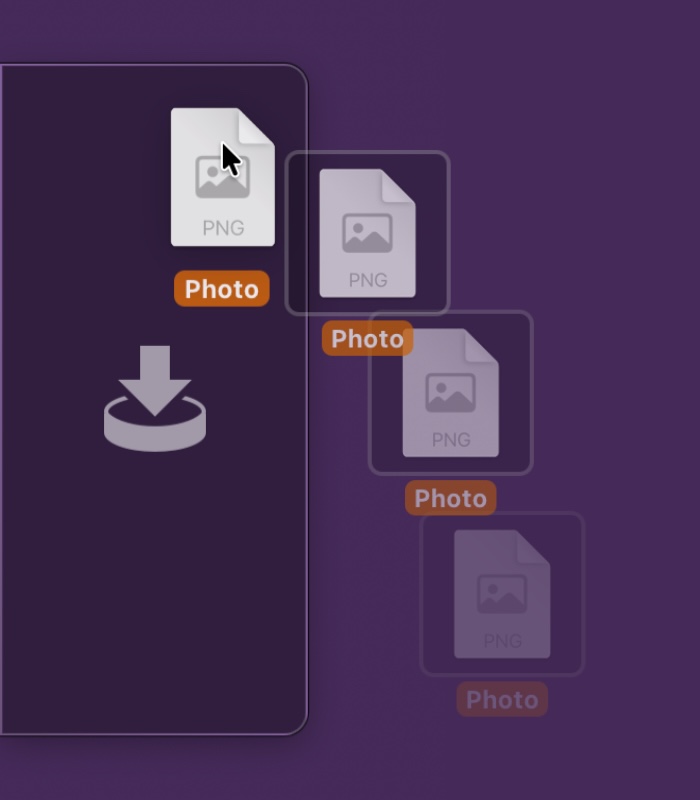
Yoink is a temporary place for your file drags. Whether you want to collect images from a website, text snippets from a document, or move files around in Finder, Yoink offers a “shelf” you can place them in so you can move freely to the files’ actual destination. It can hold virtually anything you can drag and appears whenever you start to drag something. It’s also highly customizable to fit your needs. It also comes with a clipboard history, easily accessibly via widgets, or the “shelf” itself.


What’s New in Yoink v3.7?

  • Yoink now automatically hides again if it was hidden before a drag
  • The app is now more responsive and stable
  • The “File in Trash” popover can now be muted
    • Additionally, a Trash icon is now shown for files currently in the trash
  • Improves support for drags from private Firefox windows
  • Improves support for drags from Transmit
  • Updated the UI
  • Increased the number of copied items the clipboard history can hold
  • Improves behavior when screen changes occur
  • Fixes a bug where Yoink would hide even though a file was just dropped onto it
  • Fixes potential issues with Quick Look, Continuity Camera and the Clipboard History widget
  • Finally removed the experimental “resolve alias” option. While it did resolve alias files, the resulting path was no longer usable by Yoink on newer versions of macOS
  • and much more!

🔗 For the full release notes, please click here.


Links and Availability

➡️ Website + free, 28-day trial + Direct Purchase
🖥️ Mac App Store (one-time lifetime purchase)
🔁 Setapp (also has my apps ScreenFloat and Transloader, plus over 250 awesome apps with one subscription, 7-day trial)
Yoink for Mac is currently localized into English, German, French, Italian, Portuguese, Japanese, Simplified Chinese and Korean
💡 Usage Tips

📱 Yoink is also available as a separate purchase for iPhone and iPad

💌 Contact & Connect


If you have any feedback or questions, please don’t hesitate to use the contact link above, or below : )
Have a great day.

Read more