Mac app

ScreenFloat for Mac v2.3.8 is now available, and brings a handful of new features, two handfuls of improvements, and three handfuls of bug fixes.

“The most used tool on my Mac”

wendylou @ Mac App Store

What is ScreenFloat?

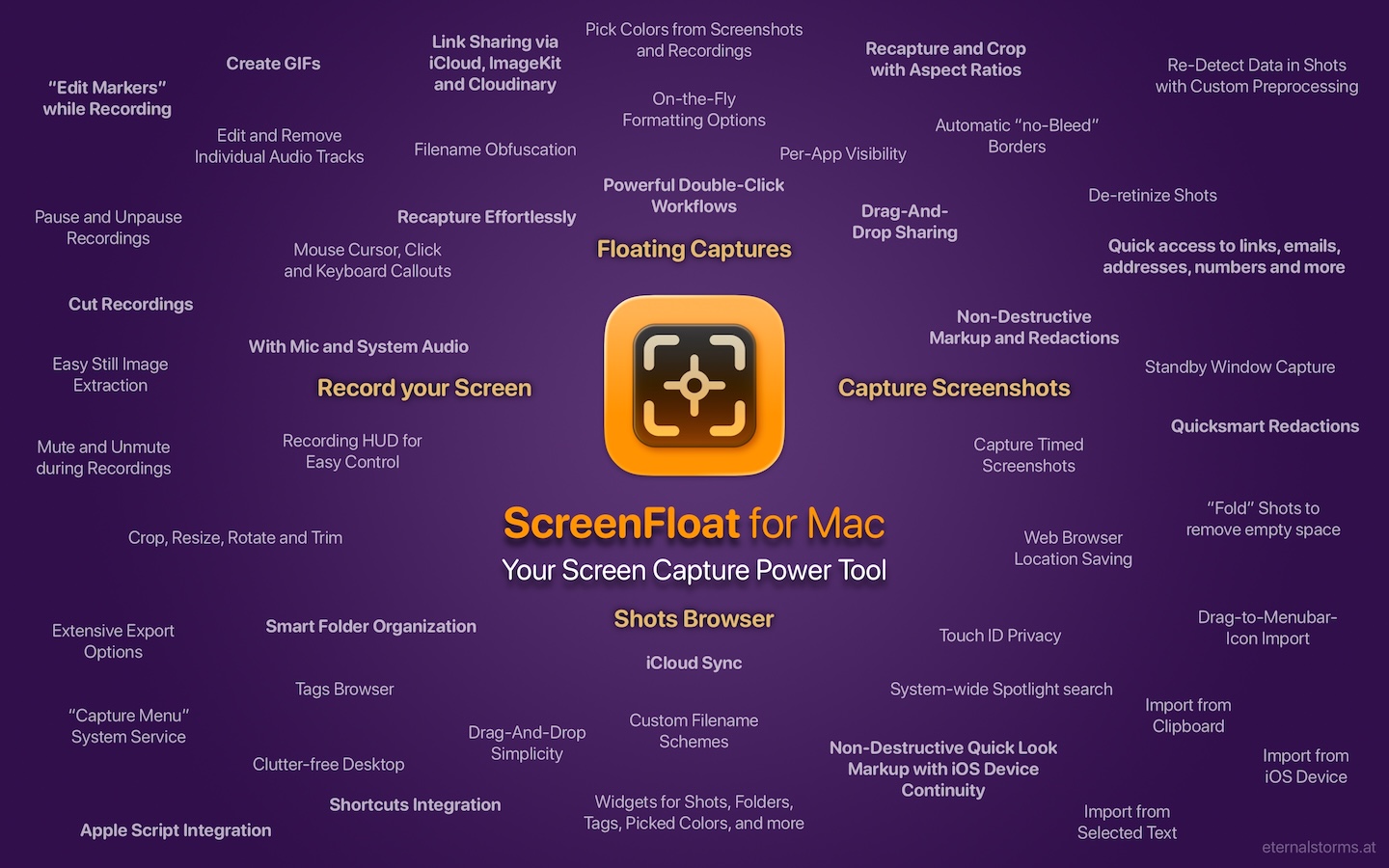
ScreenFloat is your Mac’s Screen Capture Power Tool.
Capture screenshots and recordings that float above other windows, allowing you to reference anything on your screen, anywhere. It’s like Picture-in-Picture, only for screen captures.
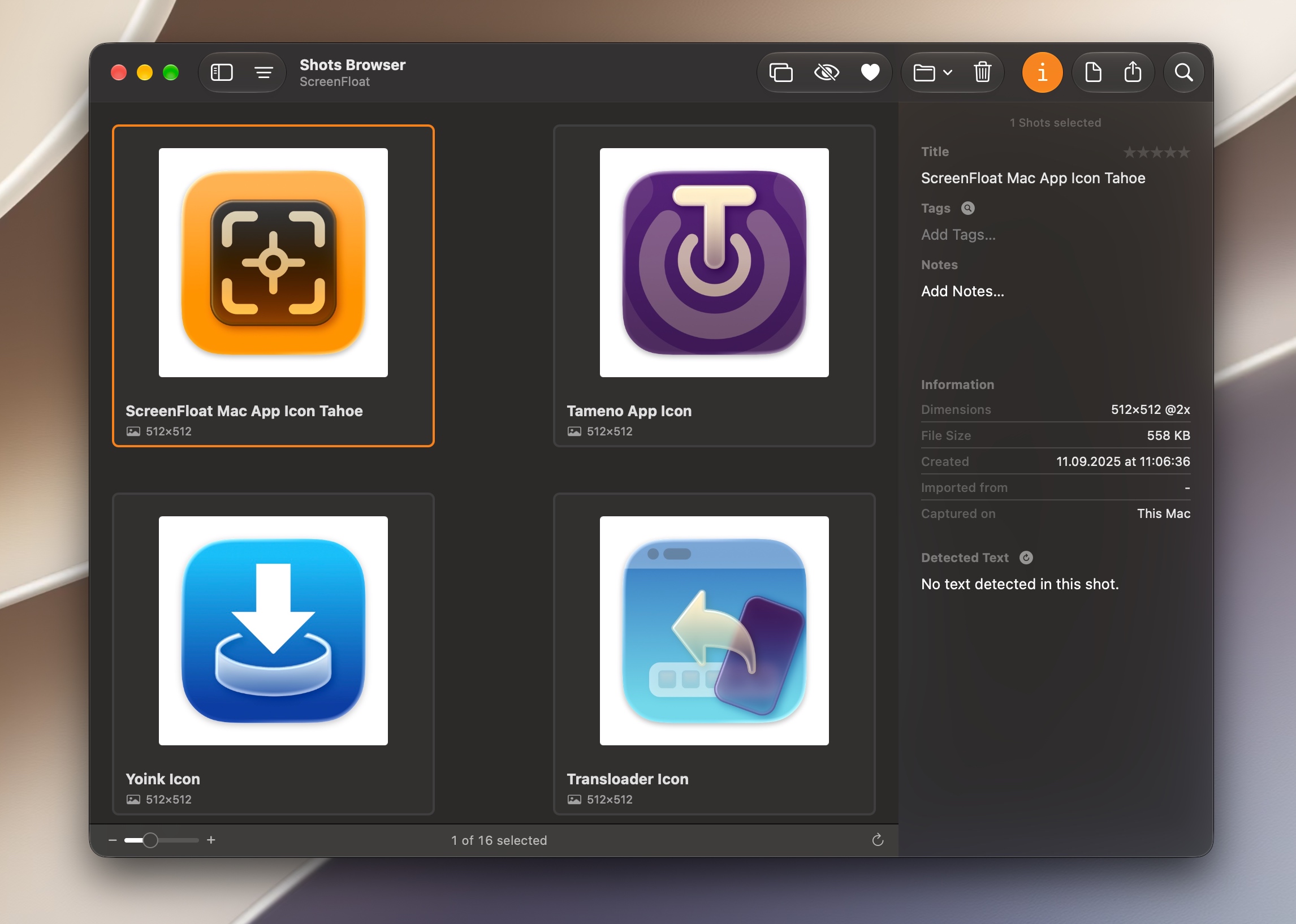
It keeps your Desktop clutter-free, as every capture you make is stored in its Shots Browser, where you can manage, organize and find your shots. They’re also synced across your Macs over iCloud.
Easily copy the non-copyable, as ScreenFloat recognizes text, barcode and faces in your shots, which also allows you to effortlessly redact sensitive parts of your screenshots.
Add non-destructive annotations, redactions and markup, crop, “fold“, resize, or de-retinize your shots. Quickly pick colors.
Mute, trim and cut your recordings with the aid of “edit markers” you can place while recording. Export them as GIFs.
Create shareable and embeddable links for your captures using iCloud, ImageKit.io or Cloudinary.com.
And so much more.

A screenshot is just a screenshot. Until you use ScreenFloat.

Tip: Check out the Get to Know ScreenFloat 2 Blog Post series for a deep-dive into its functionality and what it can do for you.

“A brilliant app”

Prof. Brian Whalley @ Mac App Store

What’s New in ScreenFloat v2.3.8

Remove captured windows’ shadows after capture, just for exports, or permanently
  • If you like to capture windows with shadows, but need them without from time to time, you can now easily remove them; on-the-fly for export or dragging out, or permanently if you changed your mind. Child window’s shadows are preserved.
  • A new setting to automatically copy new shots to your clipboard
  • Widgets have been improved
    • A “Recapture” Control Widget has been introduced (macOS 26)
      • The Capture widget now also has this functionality
    • You can now choose what should happen when a shot is clicked in a widget: Float, Copy, or Reveal in Shots Browser
  • Overhauled ScreenFloat’s menu bar icon menu
  • Improved the GIF export of videos
  • Recording videos has been improved with better color fidelity and new click highlights
    • Cutting recordings is now more compatible and reliable
  • And much more, like additive, selective copying of detected data : )

👉 For the full release notes, please click here 👈

“Brilliant. Useful. Amazing.”

dan38882 @ Mac App Store

Links and Availability

ScreenFloat is a one-time purchase on the Mac App Store or my website for currently USD 17.99 / EUR 19,99 / GBP 17.99.
It is also part of Setapp.
There is no difference in functionality between the different versions.
As with all previous updates, v2.3.8 is completely free for existing customers.
A free, 28-day trial is available for download.
ScreenFloat requires macOS 12.3 Monterey (macOS 26 Tahoe recommended for full functionality)
A (free) iCloud account is required if you want to sync your ScreenFloat library across your Macs.
ScreenFloat is currently localized in English, German, Chinese (Simplified), and Dutch.

🔗 ScreenFloat Website + Free Trial + Direct Purchase
🖥️ ScreenFloat on the Mac App Store
➡️ ScreenFloat on Setapp (offers a 7-day trial for all 200+ apps, including my Mac apps Yoink and Transloader)
🤩 Eternal Storms Software Productivity Bundle on the Mac App Store (includes ScreenFloat, Yoink for Mac, Transloader and DeskMat at ~20% off)

📖 Get to Know ScreenFloat 2 Blog Post Series | User Guide
💡 ScreenFloat 2 Usage Tips

💌 Contact & Connect

A note on in-app purchases in the Mac App Store version: These are completely voluntary tips you can give me to support me and the development of my apps beyond the one-time purchase price. No additional functionality can be unlocked by giving tips. Your one-time purchase gives you to the complete functionality of ScreenFloat.

[Update July 22nd, 2026] : v2.3.9 is now available, fixing a potential crash when exporting shots, introduced in v2.3.8.

“An app that I honestly don’t know how I lived without it”

Chariklia M. @ Setapp

I hope you enjoy ScreenFloat (and my other apps) : )

“One of my most used Apps!”

paradox2222 @ Mac App Store
Read more

DeskMat for Mac v1.3.1 – a utility that quickly covers your Desktop or individual files for more privacy during screen sharing, cleaner streams, and distraction-free work – fixes a bunch of bugs and makes sure it runs well on macOS 27 “Golden Gate”.

“Exactly what I needed”

Captain Muso @ Mac App Store

What is DeskMat?

DeskMat helps you:

  • retain your privacy when sharing your screen
  • have cleaner streams
  • work distraction-free

by providing a simple cover for your Desktop.
With the click of a button, all your files and folders on your Desktop disappear, and re-appear just as easily when you need them. Alternatively, select specific files or folders, or file types, that you want to hide or keep showing.
Tie the app to your Focus modes or specific apps coming to the foreground, so the cover activates and deactivates automatically.
Create workflows with Shortcuts and AppleScript.
With Control Center widgets, you can toggle the cover from anywhere.

Tip: Check out the Get to Know DeskMat Blog Post for a deep-dive into its functionality.


What’s New in DeskMat v1.3.1

  • Makes sure it runs well on macOS 27 “Golden Gate”
  • Fixes a bug where the static or live wallpaper option didn’t work on some locales
  • Fixes a bug where sometimes the macOS Default Wallpaper failed to load

👉 For the full release notes, please click here 👈

“Focus mode integration is excellent”

tedsvo @ Mac App Store

Links and Availability

DeskMat is a one-time lifetime purchase on the Mac App Store or my website for currently USD 3.99 / EUR 3,99 / GBP 3.99.
There is no difference in functionality between the different versions.
As with all previous updates, v1.3.1 is completely free for existing customers.
A free, 28-day trial is available for download.
DeskMat requires macOS 13.0 Ventura or newer.
The app is currently localized in English, German, Chinese (Simplified), Dutch, French, Italian, Japanese and Spanish.

🔗 DeskMat Website + Free Trial + Direct Purchase
🖥️ DeskMat on the Mac App Store
🤩 Eternal Storms Software Productivity Bundle on the Mac App Store (includes ScreenFloat, Yoink for Mac, Transloader and DeskMat at ~20% off)

📖 Get to Know DeskMat Blog Post

💌 Contact & Connect

A note on in-app purchases in the Mac App Store and direct purchase versions: These are completely voluntary tips you can give me to support me and the development of my apps beyond the one-time purchase price. No additional functionality can be unlocked by giving tips. Your one-time purchase gives you to the complete functionality of DeskMat.

I hope you enjoy DeskMat (and my other apps) : )

Read more

Transloader for Mac, iPhone and iPad lets you start and manage downloads on your Macs, remotely from your iPhone, iPad, or other Macs.
Version 3.1.93 localizes the app into Simplified Chinese and fixes a few bugs along the way.

Incredibly useful! […] It’s magic!

X.Alex.D; Mac App Store

What is Transloader?

With Transloader, you can start and manage downloads on your Macs, remotely, from your other devices, like an iPhone, iPad, or another Mac.

Link and File Actions let you change Transloader’s behavior, like open links from specific domains or url schemes in different apps, or open completed downloads for further processing with other apps, Automator actions or Shortcuts.

Login required? No problem. Transloader can sync login cookies or HTTP basic auth credentials via iCloud.

And with notifications, you’re always in the know about the status of your downloads.

Love this app! […] Simple, reliable, and exactly what I need.

Celatone; Mac App Store

What’s New in Transloader v3.1.93?

  • Transloader is now localized into English, German, and Simplified Chinese
  • Fixes a few text passages
  • Fixes a bug that could cause some webpages that did not lead to downloads to not open in the browser, as per default, but to download the html webpage

👉 For the full release notes, please click here 👈

Nothing else like it.

Brian Cometa; Mac App Store

Links and Availability

Transloader for Mac is a one-time lifetime purchase at USD / GBP 9.99; EUR 10.99. The iOS app is a free download.
The app requires macOS 10.14, iOS 17.6 and visionOS 26.0 (or newer) and is currently localized into English, German and Simplified Chinese. A (free) iCloud account is required.

➡️ Website + free, 28-day trial + Direct Purchase
🖥️ Mac App Store (one-time lifetime purchase)
📱iOS App Store (free)
😍 Eternal Storms Software Productivity Bundle (get YoinkScreenFloat, Transloader and DeskMat at ~20% off)
🔁 Setapp (also has my apps Yoink and ScreenFloat, plus over 250 awesome apps with one subscription, 7-day trial)
Transloader is currently localized into English and German

📖 Blog Series: Get to Know Transloader 3

💡 Usage Tips

💌 Contact & Connect

INDISPENSABLE !

vk; Setapp

If you have any feedback or questions, please don’t hesitate to use the contact link above, or below : )
Have a great day.

Read more

Yoink for Mac drastically improves and simplifies drag and drop on the Mac.
Version 3.7.5 now makes it ridiculously easy to pull in original RAW files, burst photos, Live photo videos, and more from Photos app photos and videos.

As important to me as the CMD key

john.H, Mac App Store

What is Yoink?

Yoink is a temporary place for your file drags. Whether you want to collect images from a website, text snippets from a document, or move files around in Finder, Yoink offers a “shelf” you can place them in so you can move freely to the files’ actual destination. It can hold virtually anything you can drag and appears whenever you start to drag something. It’s also highly customizable to fit your needs. It also comes with a clipboard history, easily accessible from widgets, or the “shelf” itself.

Absolute essential

Nonscents01, Mac App Store

What’s New in Yoink v3.7.5?

 
  • Effortlessly load original RAW files, images from bursts, videos from live photos and unedited originals for photos you dragged to Yoink from the Photos app (macOS 13+ required)
  • When dragging photos and videos from Photos to Yoink and then onwards to other apps (for instance, iMovie or Final Cut Pro), the original cinematic, slow-mo and time-lapse properties are now preserved, allowing full editing, instead of being handed just the final render from Photos (macOS 13+ required)
  • A couple of bug fixes

👉 For the full release notes, please click here 👈

Why This Matters

Photos can make it quite a bit frustrating to get to original files of your photos and videos, with multiple dialogs involved.
With these new features in Yoink, loading in RAW files, unedited originals, all images in a burst, and live photo videos is just a right-click away.
For photographers, video editors, and content creators who frequently move assets out of Photos, this can significantly reduce the number of steps required, and saves a bunch of time.

Probably the first app I install on any Mac I use.

Ernie S., Setapp

Links and Availability

Yoink is a one-time-lifetime purchase at USD 8.99 / EUR 9.99 / GBP 8.99, or as part of a Setapp subscription.
It requires macOS 10.13 and is currently localized into English, German, French, Italian, Portuguese, Japanese, Simplified Chinese and Korean.
A free, 28-day trial is available for download on the website; if your trial has ended, this update will give you some more time to evaluate my app.

Wouldn’t be without Yoink

Jolly Good Creative, Mac App Store

➡️ Website + free, 28-day trial + Direct Purchase
🖥️ Mac App Store
😍 The Eternal Storms Software Productivity Bundle on the Mac App Store (get Yoink, ScreenFloat, Transloader and DeskMat at ~20% off)
🔁 Setapp (also has my apps ScreenFloat and Transloader, plus over 250 awesome apps with one subscription, 7-day trial)

💡 Usage Tips

📱 Yoink is also available as a separate purchase for iPhone and iPad

💌 Contact & Connect

Makes your life so much easier!

Zakazastar, Mac App Store

If you have any feedback or questions, please don’t hesitate to use the contact link above, or below : )
Have a great day, and thank you for stopping by.

Favorite app – no joke

mrjonathanallan, Mac App Store

Read more