Release Notes

Transloader for Mac, iPhone and iPad lets you start and manage downloads on your Macs, remotely from your iPhone, iPad, or other Macs.
Version 3.1.90 now supports HTTP basic auth for logging in before downloads, improves downloading in general, accepts url schemes other than http(s), ftp(s) and magnet, and makes a bunch of improvements and fixes overall.

Incredibly useful! […] It’s magic!

X.Alex.D; Mac App Store

What is Transloader?

With Transloader, you can start and manage downloads on your Macs, remotely, from your other devices, like an iPhone, iPad, or another Mac.

Link and File Actions let you change Transloader’s behavior, like open links from specific domains or url schemes in different apps, or open completed downloads for further processing with other apps, Automator actions or Shortcuts.

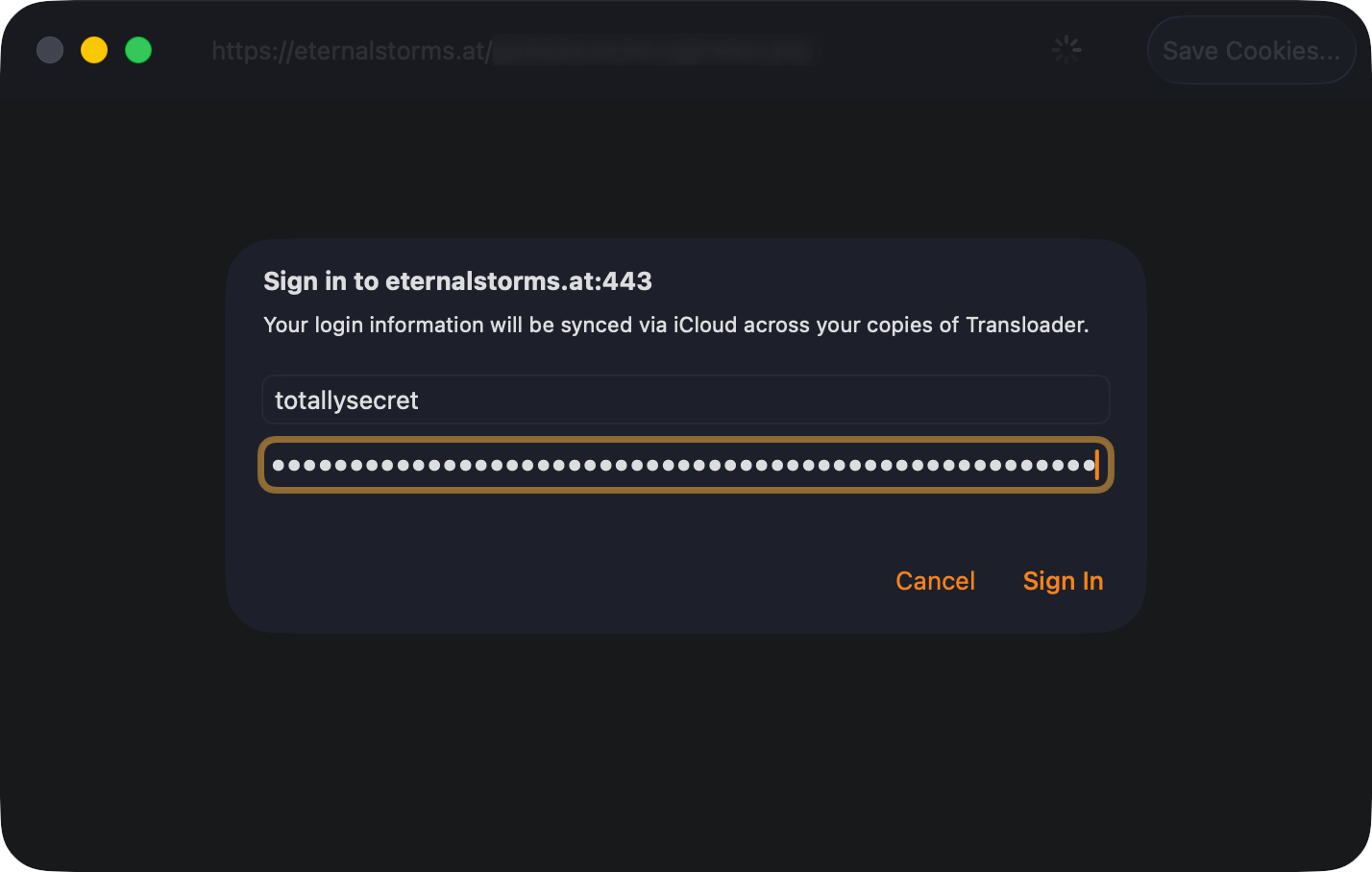
Login required? No problem. Transloader can sync login cookies or HTTP basic auth credentials via iCloud.

And with notifications, you’re always in the know about the status of your downloads.

Love this app! […] Simple, reliable, and exactly what I need.

Celatone; Mac App Store

What’s New in Transloader v3.1.90?

  • In addition to login cookies, Transloader can now log in to sites using and synchronize HTTP Basic Authorization login credentials (macOS 12 or newer required)
  • The handling of links and downloads has been improved:
    • The app is no longer blocked when moving larger files to external drives
    • If a file move operation fails, the “failed” notification is now correctly sent
    • Downloads that require login now reflect this state more reliably in the UI
    • The app is no longer restricted to url schemes http(s), ftp(s), or magnet
    • The validation of added links has been improved
  • Transloader is now more patient when waiting for the completion of Link- and File Actions with Shortcuts
  • The app can now better handle large link collections
  • Many bug fixes and other improvements across the Mac, iPhone and iPad apps

🔗 For the full release notes, please click here.

Nothing else like it.

Brian Cometa; Mac App Store

Links and Availability

➡️ Website + free, 28-day trial + Direct Purchase
🖥️ Mac App Store (one-time lifetime purchase)
📱iOS App Store (free)
🔁 Setapp (also has my apps Yoink and ScreenFloat, plus over 250 awesome apps with one subscription, 7-day trial)
Transloader is currently localized into English and German

📖 Blog Series: Get to Know Transloader 3

💡 Usage Tips

💌 Contact & Connect

INDISPENSABLE !

vk; Setapp

If you have any feedback or questions, please don’t hesitate to use the contact link above, or below : )
Have a great day.
Read more

Transloader v3.1.81 is now available fixing a few minor issues, and is now also available as a direct purchase from my website, in addition to the Mac App Store and Setapp.


What is Transloader?

With Transloader, you manage downloads on your Macs, remotely from your iPhone, iPad, or other Macs.
This way, when you’re sitting on your couch and come across a large file download you’ll need on your Mac later, you don’t have to get up, go to your Mac, find that link again and then download it there. No. All you need to do is paste that link into Transloader, and it will handle it all for you.

With Link and File Actions you have total control over what happens with your links; either they’re downloaded directly in Transloader, or handed off to other apps, workflows or shortcuts. And when a file is downloaded in Transloader, you can run custom actions on those files as well.


What’s New in Transloader 3.1.81?

  • Transloader’s iOS companion app now also runs on Apple Vision Pro
  • A couple of strings and localizations have been improved
  • The trial time has been increased from 15 to 28 days
  • You can now see What’s New in-app for updates
  • A streamlined and better About screen
  • Completely voluntary tipping is now available in the app’s Settings
  • The app is now available as a direct purchase from my website

Links and Availability

➡️ Website + free, 28-day trial + Direct Purchase (one-time lifetime purchase)
🖥️ Mac App Store (one-time lifetime purchase)
📱 iOS App Store (free)
🔁 Setapp (7-day free trial, then subscription. Includes Transloader, Yoink and ScreenFloat, plus over 200 awesome other apps)

💡 Usage Tips

💌 Contact & Connect


If you have any feedback or questions, please don’t hesitate to use the contact link above, or one of the buttons below : )

Have a great day. Thank you for stopping by!

Read more

This year’s OS updates (v26) will be released by Apple later today, so here’s an update on my apps as well!


Yoink for Mac v3.6.102 🔗

Yoink looks and runs beautifully on macOS 26 Tahoe and continues to be there for all your drag and drop needs!


Yoink for iPhone and iPad v2.5.2 🔗

The same goes for Yoink for iPhone and iPad – it shines on iOS 26 and will continue to be your file and snippet companion, and versatile clipboard monitor!


ScreenFloat for Mac v2.3.3 🔗

ScreenFloat brings its screen capture all-rounder companion powers to macOS Tahoe. From a new Shots Browser design for Liquid Glass to useful Control Widgets that give you quick access to ScreenFloat’s capture functionality, the app is ready for the new OS.


DeskMat v1.2 🔗

DeskMat covers your messy Desktop instantly. On macOS Tahoe, now also from the comfort of your Control Center.
In addition, there’s a new setting to keep Desktop Widgets visible and only hide file icons (available on macOS 14 and newer).


Transloader v3.1.7 🔗

Transloader lets you start and manage downloads on your Macs, remotely from your iPhone, iPad, and other Macs, and continues to do so on iOS, iPadOS and macOS 26.


Tameno v1.2.1 🔗

Tameno taps you repeatedly in intervals for stretching, workouts, exercises, meditation, yoga, the 20-20-20 rule, and so much more! And now does it better on mac- , watch-, i-, iPad-, and tvOS.


My other apps (like Glimpses, Citator, Upsies, BackLog and SiriMote) will receive updates soon, too.


Links and Availability

– Yoink for Mac – Better Drag and Drop

➡️ Website + free, 28-day trial
🖥️ Mac App Store (one-time purchase)
🔁 Setapp (over 200 awesome apps with one subscription)
💡 Usage Tips

– Yoink for iPhone and iPad – Your Files and Snippets Shelf

➡️ Website
📲 App Store (one-time purchase)
💡 Usage Tips

– ScreenFloat for Mac – Your Screen Capture Companion

➡️ Website + free, 28-day trial
💳 Direct Purchase (one-time purchase)
🖥️ Mac App Store (one-time purchase)
🔁 Setapp (over 200 awesome apps with one subscription)
💡 Get to Know ScreenFloat

– DeskMat – Cover Your Messy Desktop

➡️ Website + free, 28-day trial
💳 Direct Purchase (one-time purchase)
🖥️ Mac App Store (one-time purchase)
💡 Get to Know DeskMat

– Transloader for Mac, iPhone and iPad – Manage Downloads Remotely

➡️ Website + free, 28-day trial
🖥️ Mac App Store (one-time purchase) / 🔁 Setapp (over 200 awesome apps with one subscription)
📲 iOS App Store (free)
💡 Get to Know Transloader

– Tameno – Timers on Auto-Repeat

➡️ Website
🖥️ Mac App Store / 📲 App Store (one-time universal purchase for Apple Watch, iPhone, iPad, Mac and Apple TV)
💡 Get to Know Tameno

💌 Contact & Connect

Thank you. I hope you’ll enjoy my apps : )

Read more

Transloader v3.1.6 is now available.
The update improves the placement and display of the popover if you use the app’s menu bar icon, syncing and handling of download states, and the visual feedback when adding a download to the local Mac. Additionally, it fixes a localization issue in the “Added from device” informational overlay.

With Transloader, you manage downloads on your Macs, remotely from your iPhones, iPads, and other Macs.

Links

Transloader Website
Transloader on the Mac App Store (USD 9.99 / EUR 10.99)
Transloader for Mac on Setapp
Transloader on the iOS App Store (free)
Eternal Storms Software Productivity Bundle (includes Transloader, Yoink and ScreenFloat at ~25% off)

Get to Know Transloader Blog Post Series
Transloader Usage Tips


Enjoy : )

Read more