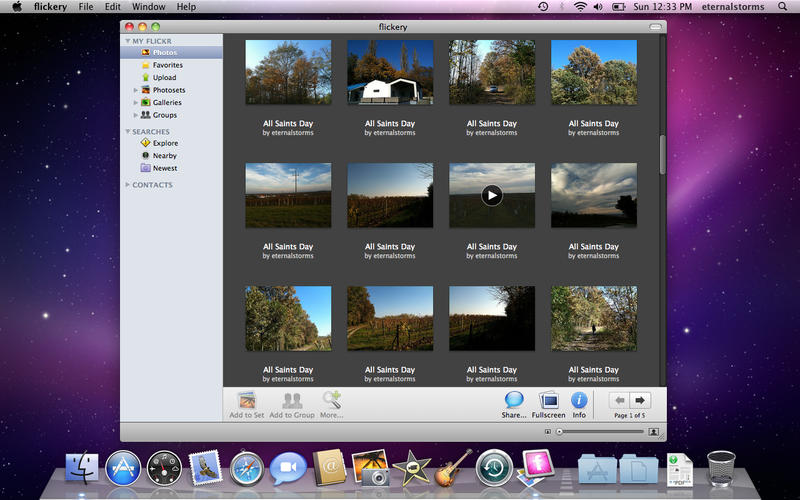
flickery v1.9.45, a critical bug fix release, has just been released both on the Mac App Store and via the app’s update mechanism.
What’s flickery?
flickery is a full-featured desktop client for flickr, allowing you to manage your photo stream, favorites, albums, galleries and more.
That’s still around?
I admit, flickery hasn’t seen an update in quite a while (the last one on October 24th, 2014 – it’s quite embarrassing).
Managing and maintaining five different apps is quite a task for one person, and in the case of flickery, one thing just lead to another and I somehow was never able to keep updating it regularly.
I had started development of version 2.0, but as that Yahoo sale happened, I paused again, not knowing where things would go.
Now flickr is in the hands of SmugMug, and after a very brief first conversation with them, I’m thinking flickr’s in a good place. Let’s see where things go from here.
What’s New in flickery v1.9.45?
- A crash was fixed that occurred when loading galleries (which sometimes lead to a crash during authorization)
- A crash was fixed when cancelling an upload
- A bug was fixed where you couldn’t take screenshots anymore from within flickery’s upload section
- Due to the Mac App Store’s API restrictions, flickery now uses AVFoundation for its video playback instead of QuickTime, leading to increased system requirements (macOS Lion 10.7.3 or newer is now required)
Increased System Requirements
flickery used to use the QuickTime and QTKit frameworks for video editing and playback. Trying to compile that code lead to several errors, as the frameworks are not available anymore on macOS High Sierra (possibly earlier), so (with invaluable help from Phil Dennis-Jordan (twitter) ) I had to copy them over from macOS Snow Leopard, since that’s the version of macOS I was targeting.
Building worked, and I was confident I could release right away, but then this happened:
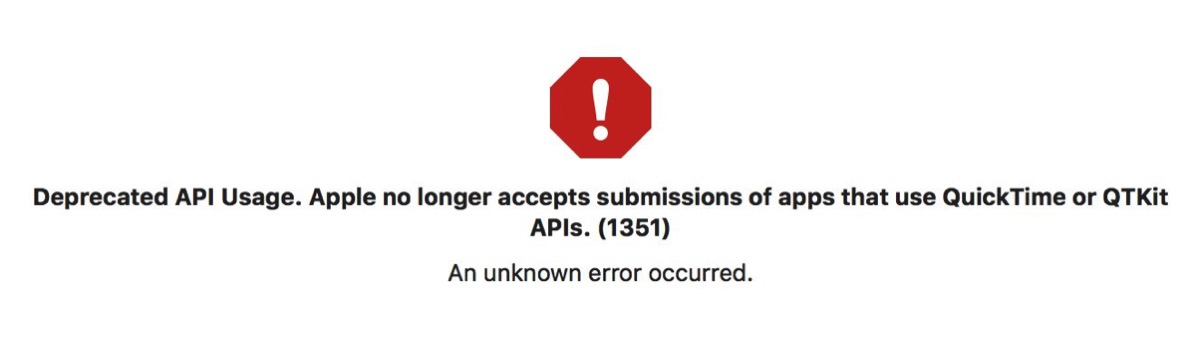
Apparently, Apple no longer accepts apps that use the QuickTime or QTKit APIs (even if you’re targeting very old versions of macOS). So back to Xcode I went, assessing how much work it would be to move everything from QuickTime/QTKit over to AVFoundation.
The most critical parts were, of course, video playback so you could watch videos posted to flickr. Other parts where I used those APIs were recording photos and videos with your Mac’s FaceTime camera and trimming videos that were longer than allowed for upload, but I decided to scrap those features for now so I could release quickly. I’m guessing they were rarely used anyway, if at all.
Updating the remaining code turned out to be a couple of hours of work (it wasn’t all that difficult, to be honest), but resulted in increased system requirements, as AVFoundation is only available on macOS Lion (10.7) and up.
I wanted to keep supporting macOS Snow Leopard (10.6) with flickery 1.x, but I would have had to take out video playback for that build, and I didn’t want to.
Availability
Version 1.9.45 of flickery is a free update for existing customers of the app, both on the Mac App Store and from the website.

– – – Do you enjoy my blog and/or my software? – – –
Stay up-to-date on all things Eternal Storms Software and join my low-frequency newsletter (one mail a month at most).
Thank you 🙂