Apple

I fancy myself a calm and collected person. Mellow. Only very few things on this good earth rile me up enough to make me want to punch my Mac’s screen. But boy, is Apple’s App Review consistently one of them.

Prologue

I recently released ScreenFloat v2.3.8. I submitted it to the Mac App Store on July 16th, 2026, and later that day, it was reviewed and approved by App Review without any issues. I published it on July 20th.

As sometimes sadly happens though, right after the release, I noticed a crashing bug. It’s sort of obscure, but prominent enough that I would have been uneasy had I not fixed it right away. I’ll skip over the part where I panic and curse myself for missing it – that’s my own personal hell.
I fixed the bug (one line of code!) and re-submitted to Apple with an expedited review request, which was granted.

Chapter I – The Devil Is In The Details. But Where Are They!?

The update eventually entered review and was fairly soon afterwards rejected for the following reason:

This is an automated message. The review of this submission cannot proceed. See below for more information.

An automated analysis of the submission indicates the app includes placeholder or otherwise insufficient purpose strings.

Purpose strings must clearly and completely describe your use of data.

Take one of the following actions:

- If the app needs access to a protected resource that requires a purpose string, revise the purpose string to explain how the app will use the resource and provide a specific example of how the data will be used. Then resubmit for review.

- If the app does not need access to a protected resource that requires a purpose string, remove the code that’s accessing the resource and the purpose string from the binary. Then resubmit for review.

Aside from the fact that it took me a second to understand what the automated message (a first for me, by the way) meant by “purpose strings”1, I was flabbergasted.
Which purpose string does the automated process deem “insufficient” or a “placeholder”?
What does “insufficient” even mean here? Is a purpose string not clear, or too short, or not easily understandable? Is it grammatically incorrect? Is it in a localization, or the English language version?
What’s a “placeholder” considered to be in this context?
Is it objecting to my use of the protected resource, or my user-facing sentence?
Which protected resource is it objecting to in the first place?

It’s painfully ironic that they require my strings to “clearly and completely describe” my use of data, when they themselves so marvelously fail to do so.

You know what’s “insufficient”? Your freaking automated message!
They might as well have told me “Something’s preventing us from further reviewing your app. Good luck finding it, asshole!”.

Even if I only had one purpose string in my app, this would have been annoying, because that detail would help quite a bit in knowing where to look and what to change.
But I have several of them. ScreenFloat is a screen capture app, so it can record your screen, and, if you tell it to, your microphone and system audio. (And, if you enable it, your key strokes during recording, but that doesn’t need a “purpose string”.)
In addition to those, the app has a Face ID purpose string, because folders in ScreenFloat can be locked and unlocked with biometrics. It has a Pictures folder purpose string for the specific case where a v1-library-import fails for certain files, so the app can move those there.
It has an Apple Events purpose string so the app can use and interact with Shortcuts. Lastly, it has a Contacts purpose string, because ScreenFloat can Quick Look vcards encoded in QR codes, and that only works with that Contacts entitlement, otherwise no preview is shown, or worse, the app crashes. Don’t ask me why.

Long story short, ScreenFloat needs all those purpose strings, and I believe they are worded correctly. After all, they have been like this ever since they first shipped.

So I reworded two purpose strings to demonstrate goodwill, and re-submitted.

Chapter II – They’re Just Trying to Break Me Now

Another rejection. This time from an actual person. Or so I believe. It didn’t say “automated message” this time around. I’m not sure if getting escalated from an automated rejection to a human one is reason to rejoice, or to worry even harder. But I digress.

The rejection this time was much clearer, but just as infuriating.

The app uses one or more entitlements which do not appear to have matching functionality within the app.
[…]
com.apple.security.personal-information.addressbook

I see.
Apparently, App Review completely ignored – or is ignorant of – the fact that in App Store Connect2, there’s a section called “App Sandbox Information”, specifically designed for the purpose of telling App Review what entitlements your app uses, and why.
I have this. See here:

So pardon my French, but it’s freaking right there.

But I did as they did, and ignored this.
I gave them the same (paraphrased) reason via reply-to-the-rejection, and now the app is “Waiting for Review” again. What a waste of time.

Epilogue

I cannot stress enough how frustrating these inconsistent app reviews are.
If you recall from the beginning of this post, just 5 days ago, on the 16th, I submitted basically the same binary, and it went through without a hitch.
Now, a few days later, with a one-line change in the binary to fix a crash, I have two rejections for stuff that has been in the app since I can’t even remember when.

What gives, App Review?
Why waste my (and your) time with asking for info on an entitlement, when it’s already there?
Why not object to it at the very first review of that entitlement with v2.0, instead of out-of-the-blue, after goodness knows how many updates in between?
What’s with that absolutely disgusting and disrespectful automated message with no details whatsoever?
What happened between July 16th and today, five days later!?

And most importantly of all: why won’t you let me release my one-code-line-crash-fixing app update for ScreenFloat already!?

[Update]: ScreenFloat v2.3.9 was accepted by App Review on July 22nd and subsequently released.

[Update]: Apple called. And now I feel bad. I hope it was clear that I’m upset with the process, not the people behind it.


  1. A “purpose string” is the text displayed to users for requesting protected resources, like the microphone, camera, etc.
    There should be a different term for this than “purpose strings”. How about “Usage Description string”, since that’s how they’re defined in code, like “NSMicrophoneUsageDescription”? That would make it way more recognizable to developers. ↩︎
  2. The place where developers submit their apps to App Review. ↩︎
Read more

As a sort-of follow up to my post about Apple’s macOS Engineers running out of places to put new permission dialogs in, I had a thought, because, I do have those from time to time.

Here’s what’s up: In macOS, when you want to, for example, create a screenshot app and want it to be able to actually take screenshots, you’ll have to get permission from the user for it. With the upcoming macOS 15 Sequoia, that is going to be upped to two dialogs. One: the initial permission request, and two: a weekly reminder, asking if you want to continue to allow this app to capture your screen.
Here’s where my aforementioned thought comes in: Wouldn’t it be nice if a screenshot app from the Mac App Store was able to, like, take screenshots, right out of the box, without any permission dialogs?
I feel like apps on the Mac App Store should get some perks for being reviewed and vetted by Apple’s App Review.

So here’s my thought, wrapped into a couple of examples, to really drive my point home ad nauseam:
– A developer of a screenshot app that has successfully gone through App Review to be published on the Mac App Store should be able to request a default screen capture entitlement for it, which lets macOS know that no permission dialogs need to be presented, or asked for weekly, at all. It can just take screenshots right after download, because, you know, it’s a screenshot app, and that’s what the user downloaded it for.

– A developer of an audio recording app that has been reviewed by App Review to be released on the Mac App Store should be able to request a default Microphone recording entitlement, so it can record audio right after download, because, you know, it’s an audio recording app, and that’s what the user downloaded it for.

– A developer of an app that uses the user’s current location for core features that has successfully been reviewed by App Review to be released on the Mac App Store should be able to request a default Location entitlement so it can get its work done right after download, because that’s what the user downloaded it for.

Shouldn’t that be sort of the point of App Review?
I kind of understand making apps obtained from outside the Mac App Store jump through permission dialogs (to an extent, I just hate the new weekly permission reminders so much), but I feel like apps obtained from the Mac App Store could appear so much more user-friendly and polished without them, and would definitely make apps obtained from there feel special.

I guess what I’m saying is: Apple, please stop this Tour-de-farce security permission dialog onslaught and give users and developers some credit.


P.S.: I do realize it’s a pipe-dream. With all the ways stuff can be kept from App Review – which has happened time and time again – it’s not a system fit for such an implementation. Which, in turn, draws App Review’s reason for existing into question altogether.

Read more

As a macOS engineer, what do you do when you’re told by Apple’s security team you have to turn it even more into Windows Vista and place even more useless alibi-security permission dialogs somewhere, but you’ve run out of new places to put them in?

Well, you get creative, and show multiple permission dialogs for the same permission.
Can’t innovate anymore, my ass!

Why the heck is this a thing on macOS Sequoia?
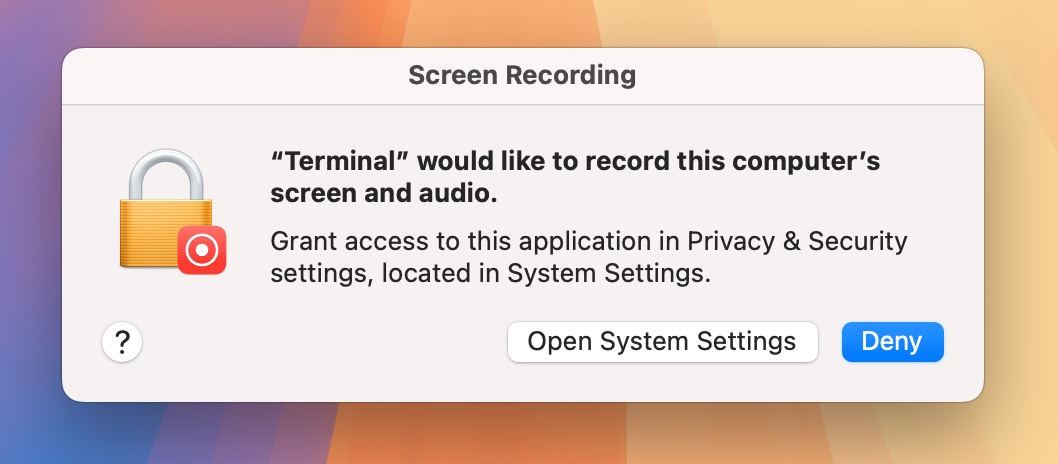
When you run the screencapture CLI from Terminal (or any other app) for the first time, you’re usually greeted with this dialog:

Fine. So you grant that permission, run screencapture again, but now you’re greeted with this stupid, infuriating, completely pointless dialog:

Huh!? Yes, I know Terminal can access this computer’s screen and audio. I just granted it that permission!

Seriously? Is this the way forward for macOS? Apple, I know you can do better. Because you used to.

Rant end.

Read more

Today, January 24, 2024, marks the 40th anniversary of the Mac.
Here are a couple of random, personal memories because, well, why not?

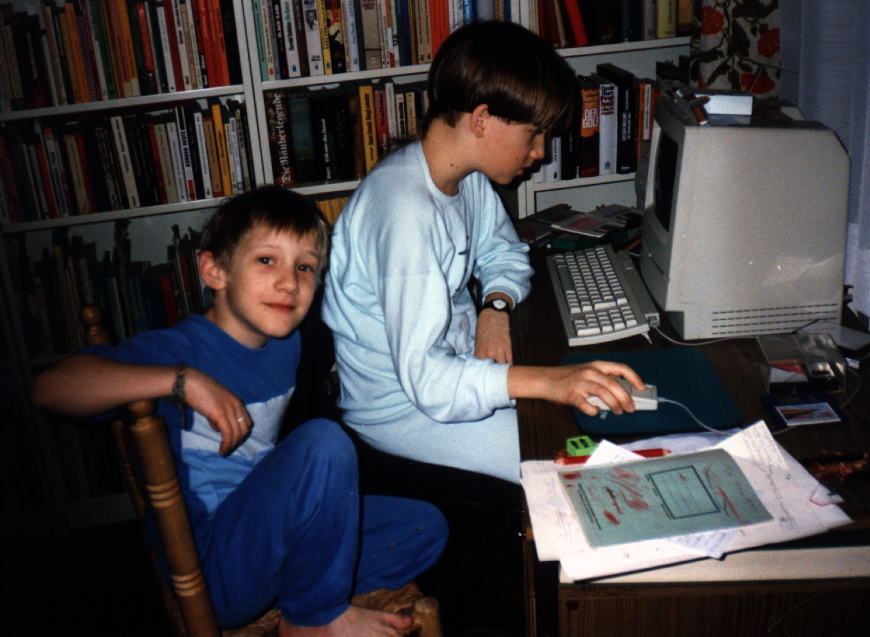
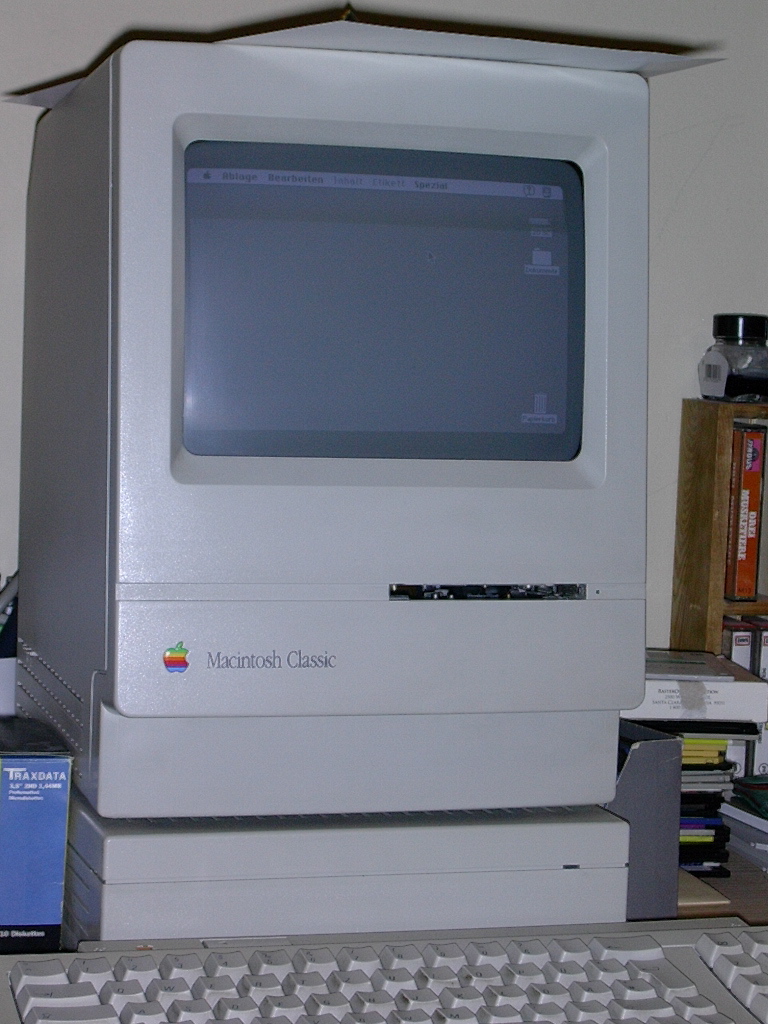
1992(?) – Our first Mac – Macintosh Classic

I was around 6 or 7 when my dad brought home our first Mac – our first computer, for that matter: a glorious Macintosh Classic.

We mostly played games on it, and of course my dad, being a journalist, did his work on it, too.

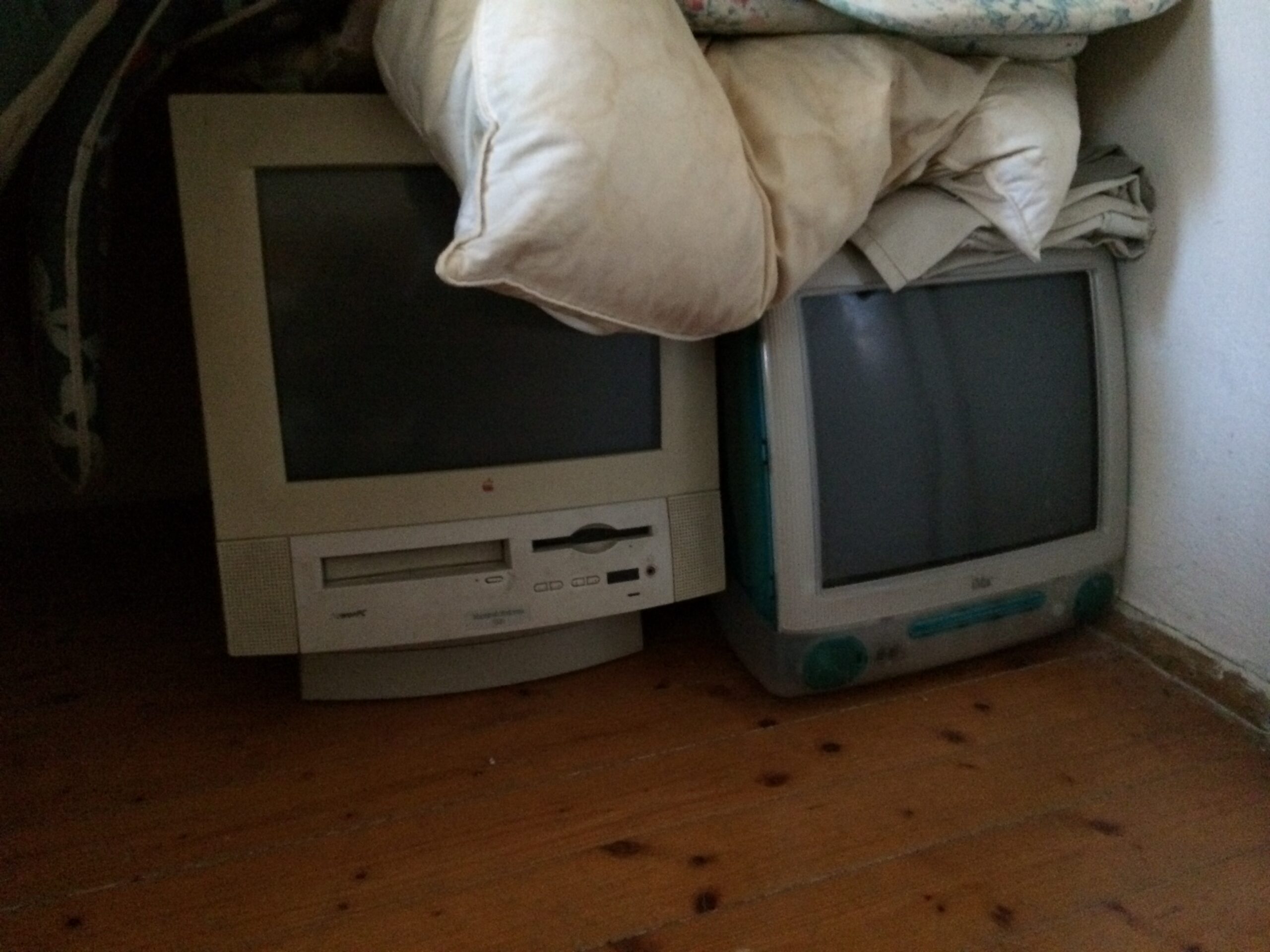
1997 – An upgrade – the Performa 5320 CD

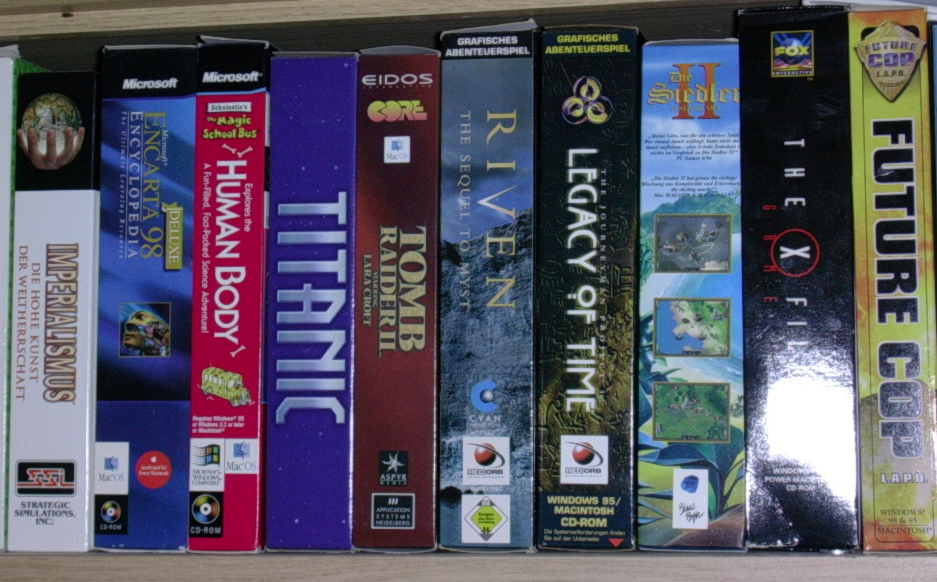
In 1997, we got quite an upgrade – the Performa 5320CD. Bigger, faster, and in color. This is where our gaming really took off. Tomb Raider II, Settlers II, Future Cop, Realmz, Reckless Drivin’, Myst, Imperialism… our first real foray into programming as well, with HyperCard. It was more my brother at this point, but I caught on soon enough.

It was also the high-time of Mac print magazines. All those demos and software trials. I remember thinking removing “Demo” or “Trial” from an application’s title would make it the full version. Oh, the naiveté.

My mom did a lot of work on that Mac, too, doing the layout for a local archaeological magazine in Quark XPress.

[Update] Some Saturdays, my dad would take me with him to the office, filled with Macs and the smell of newspaper and cigarettes (I can still smell that today in my mind). While he worked, I’d roam around, look at all the Macs they had (I remember towers, but no specific model), and he’d turn one of them on for me so I could get on the internet. I used to go into chat rooms and talk to complete strangers. It fascinated me.

I also distinctly remember using ResEdit to “localize” English software into German, going over all the menu items. Why? Beats homework… : P

At some point, we even upgraded its memory (to 40 MB, up from 8), and almost bricked the entire thing then and there. But it buffed out, luckily.
When my cousin and I tried to do that with a Macintosh LC (I believe… it was one of those flat ones), we totally bricked it. I’ll never forget the look on his face, and the sheer horror I felt.

[Update] Speaking of my cousin, there was this one New Year’s eve where he and I almost completely ignored the count-down to the new year because we were so caught up in Titanic: Adventure out of Time, trying to get the perfect ending.

[Update] My brother really got into Imperialism, which never interested me much at first (too much management, too little action, probably). But it grew on me. So much so that when we were about to leave for a winter vacation to go skiing, I really didn’t want to, because I wanted to play Imperialism some more. As a compromise, I took the guidebook with me and would imagine what I’d build and do once we came back home. Alas, once we did come back home, I had lost interest in the game. I guess I built it up in my mind so much that the actual game couldn’t live up to it anymore.

[Update] Riven is a very atmospheric game. You can really get lost in the fantasy of it all. My brother and I used to play it with the lights off in the evenings, which intensified the situation. The most shocking part for me was when it was all quiet, our parents asleep already, and we’d progress to a certain point in the game where a CD change was required, and out of the blue, the Performa’s CD tray would open up with a loud creek without so much as a little heads-up. That used to scare the crap out of me.

[Update 2] We had our grandparents over for Christmas – or was it a birthday? – and had just upgraded to Mac OS 8, where you could record your own alert sounds (instead of Sosumi, for example). Well, we had our grandma say “Blödsinn” (“Nonsense”) for a custom alert to demonstrate this with pride to everyone around. So we pressed record and signaled our grandma she could start talking, but it took her about 3 seconds to come up with something to say. Keep in mind, in those days, preemptive multitasking wasn’t really a thing. So every time the alert played, the Mac would “freeze” for 3 seconds, then we’d hear “Blödsinn”, and then the Mac would “unfreeze”. I don’t know why we didn’t re-record it right away; perhaps we didn’t think that far ahead. But we’d always have 4 seconds to contemplate what went wrong when the alert played.

[Update 3] Mac OS 9 came with Voice log-in. I can’t count (well, actually, I can’t remember) the number of times I re-recorded my voice for that in hopes to make it work, but it never would. I’d record it in the morning, it would kind of work during the day (I used to log out and back in to make sure it works, and I just loved to talk to the Mac), but come the next morning, it wouldn’t work anymore. It was Mac OS’ “Eat up Martha” phase, I guess.

2000 – iMac G3 (Slot Loading)

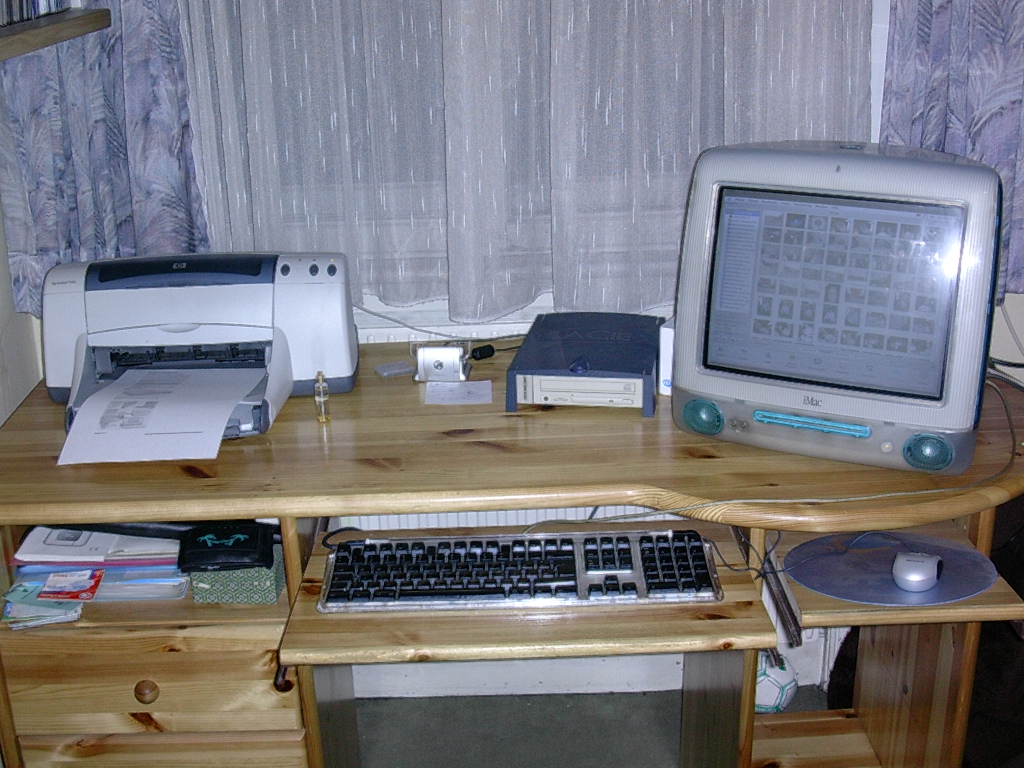
I really wanted an iMac. I had pictures of it pinned all over my bedroom and all over my bed. I let my parents know I wanted one, too. Every single day. And then, on Christmas in the year 2000, we got one, and it was the best thing ever.

We hooked it up to the internet, too, until my dad kind of lost it when he saw that first phone bill. Yikes.
I remember playing Caesar III on that Mac, and not wanting to go to relatives for the 26th of December because I just wanted to keep on playing.

I played Deus Ex at 5fps on this, too, and loved every frame I got.

This was the first Mac I bought memory for with my own money. My mom went with me to the Apple retailer (I was too scared to go alone) and didn’t quite know what more memory would accomplish. She knew, once we got it installed.

I got into REALbasic for a while and wanted to develop my own Football (soccer) manager game. The first thing I implemented was a cheat, so I could give myself a lot of money. I didn’t get far on that.

When Xcode came around, I pretty much switched to that and Objective-C right away. I got Aaron Hillegass’ book “Cocoa Programming for Mac OS X”. That was my bible for a year, going over all the tutorials and code and examples. This is where it all started.

I loved the hockey puck mouse, by the way (I know, unpopular opinion). I wish I still had it, but it broke at some point and stupid past me got rid of it.

[Update] Over most summers, we used to go to our house in Burgenland, where we “retired” the old Macs to (the Classic, the Performa, and at some point we also had a Macintosh Plus, but I can’t remember where we got that from. My brother would know). My cousins would join us in playing old classic games like Space Station Pheta, Stunt Copter, Super Maze Wars, and such. At some point, that wasn’t enough anymore, and we decided we’d bring our iMacs with us from Vienna. Things really kicked into gear then, and we never saw the outside of that house anymore. We played through Diablo 2 multiple times, grinding bosses, played Warcraft 3 all day and night, explored Tomb Raider II and III …

[Update] Like I said, we did get internet with the iMac. But it used to be sooooo slow, I used to keep downloads running over night so they’d be finished when I woke up. My dad, however, did not like the idea of having the computer running all night, so he’d often turn it off once I went to bed. Imagine my surprise when I had to restart the download again and wait for hours and hours for a game demo to finish downloading…

[Update 4] Oh, yeah, I just remembered Virtual PC. Riiight, ’cause that worked so well </scarcasm>… . So much time wasted trying to get FIFA running.

2005 – PowerMac G5

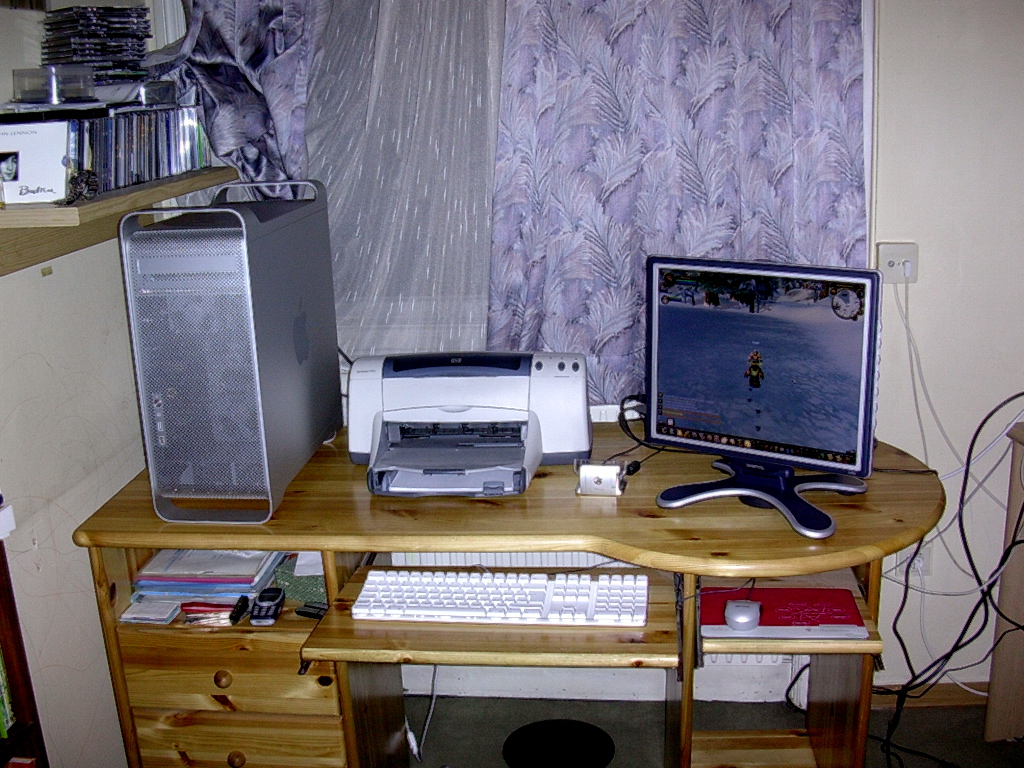
I remember my dad buying me this Mac for my birthday. We went to the retailer, and the sales person asked me “What makes you want this Mac?”. “The graphics power”, I said. “Oh, you’re doing 3D design?”, he asked with enthusiasm. “I play games”. He turned away at that point, with the slightest hint of disappointment and almost disgust in his eyes. But he made the sale. And I gamed my heart out (you can see World of Warcraft running in the photo above).

I wrote GimmeSomeTune on that PowerMac, and started to work on flickery, as well as some other minor apps.

[Update] I bought a graphics card upgrade for this PowerMac. The ATI X800XT. And I bought it twice off eBay. Because the first one wasn’t flashed for the Mac. Yay. Another moment where I thought I’d bricked an expensive Mac. I also expanded its storage with SATA HD drives.

2007 – My first portable Mac – MacBook Pro Mid/Late 2007

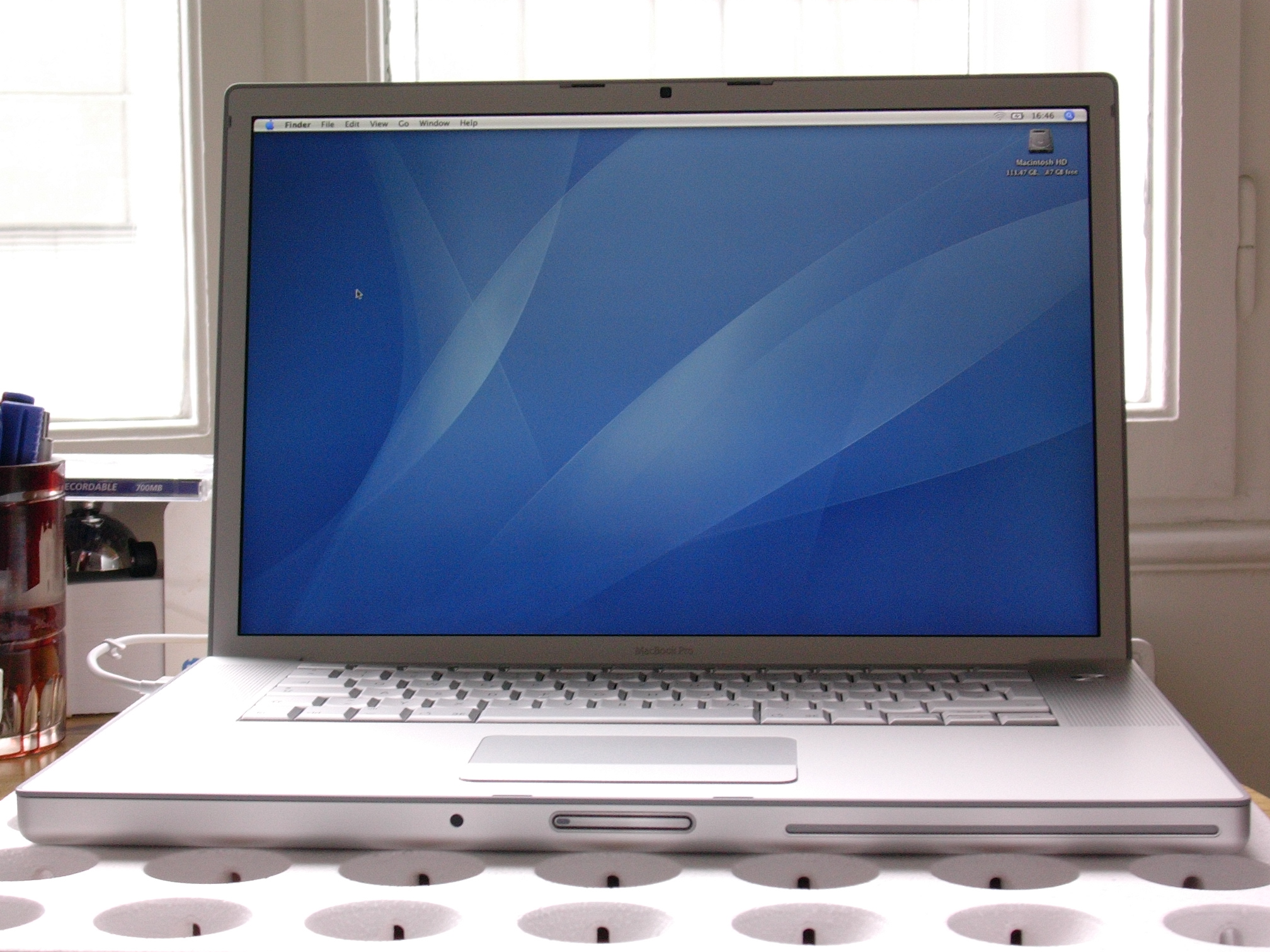
I had to make the switch to Intel at some point, and this was it. This was the first Mac I bought myself.

I do remember loving the keyboard. It was kind of… squishy.
See that IR sensor at the front for Front Row? I bought an Apple remote (IR) to use it with this Mac.

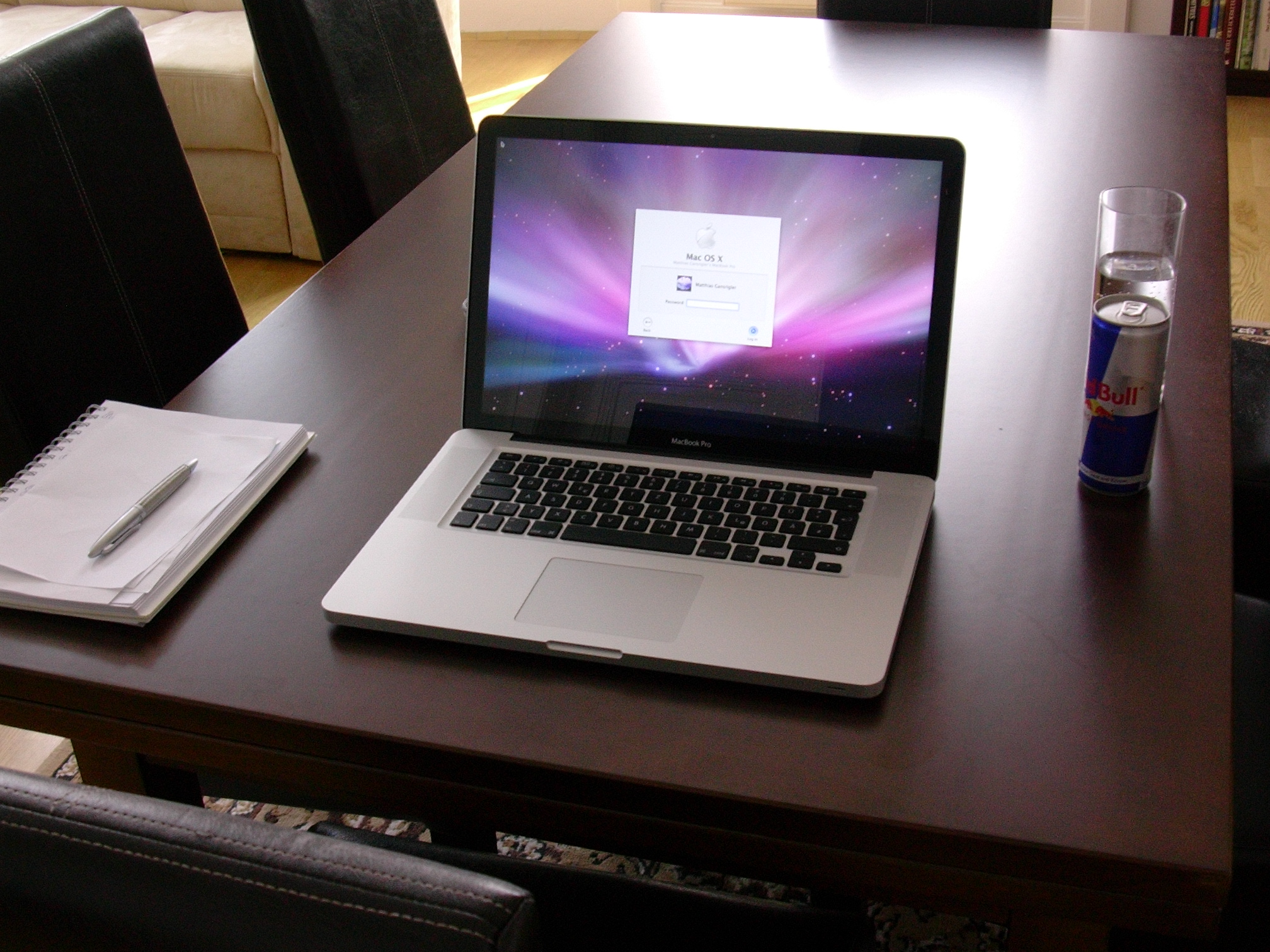
2009 – My next portable Mac – MacBook Pro Mid-2009

I discovered a local retailer that would give you money for your old Mac, and discount it off the new one. So pretty soon after that first Intel MacBook Pro, I got this 2009 model, with Mac OS X Leopard 10.5. You can tell, by the background image : D .
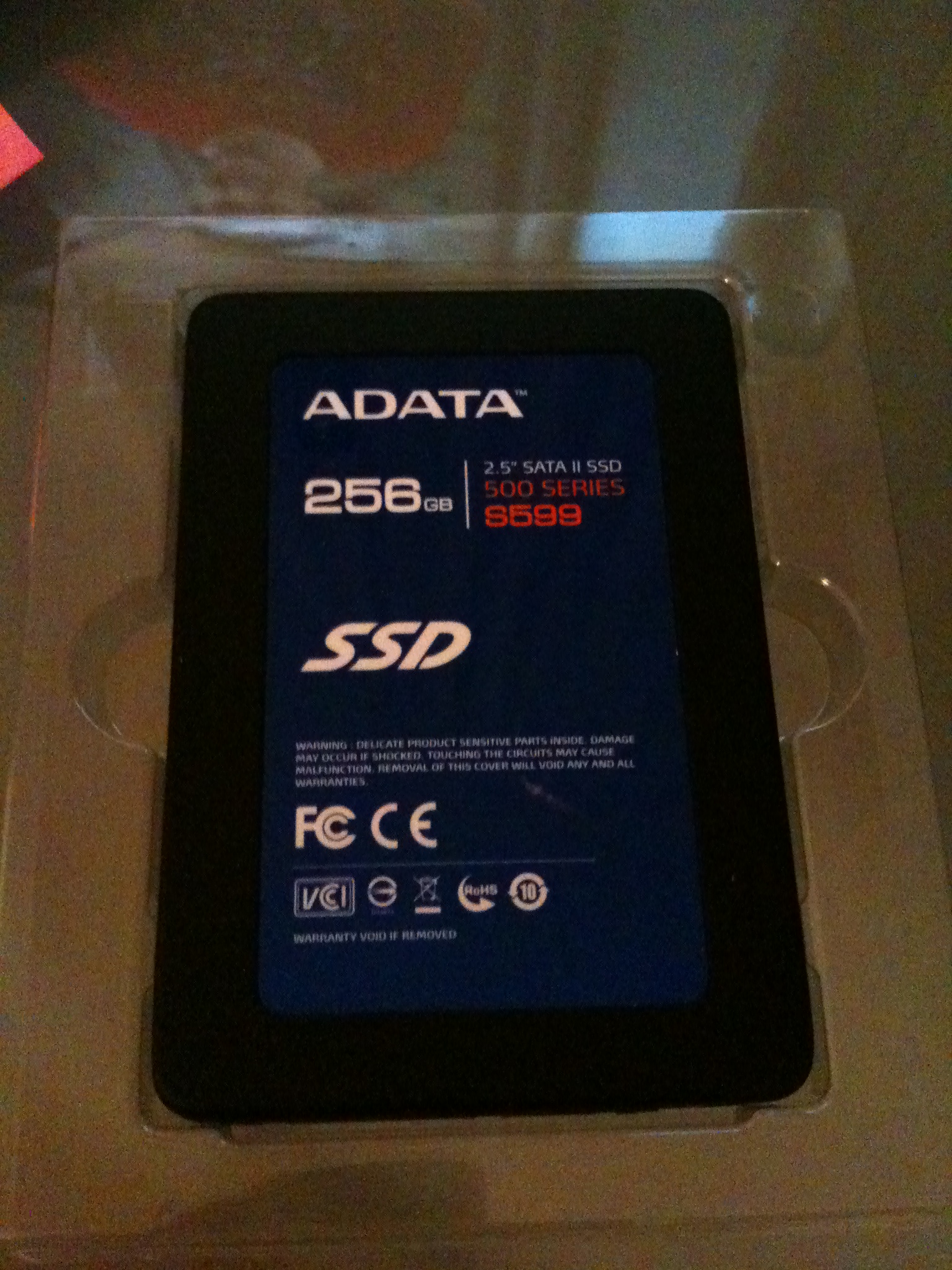
I upgraded its hard drive to an ADATA 256 GB SSD (they were still kind of new back then), and it just blew my mind.

Opening all apps in the Utilities folder on the newly installed ADATA 256GB SSD. Wow.

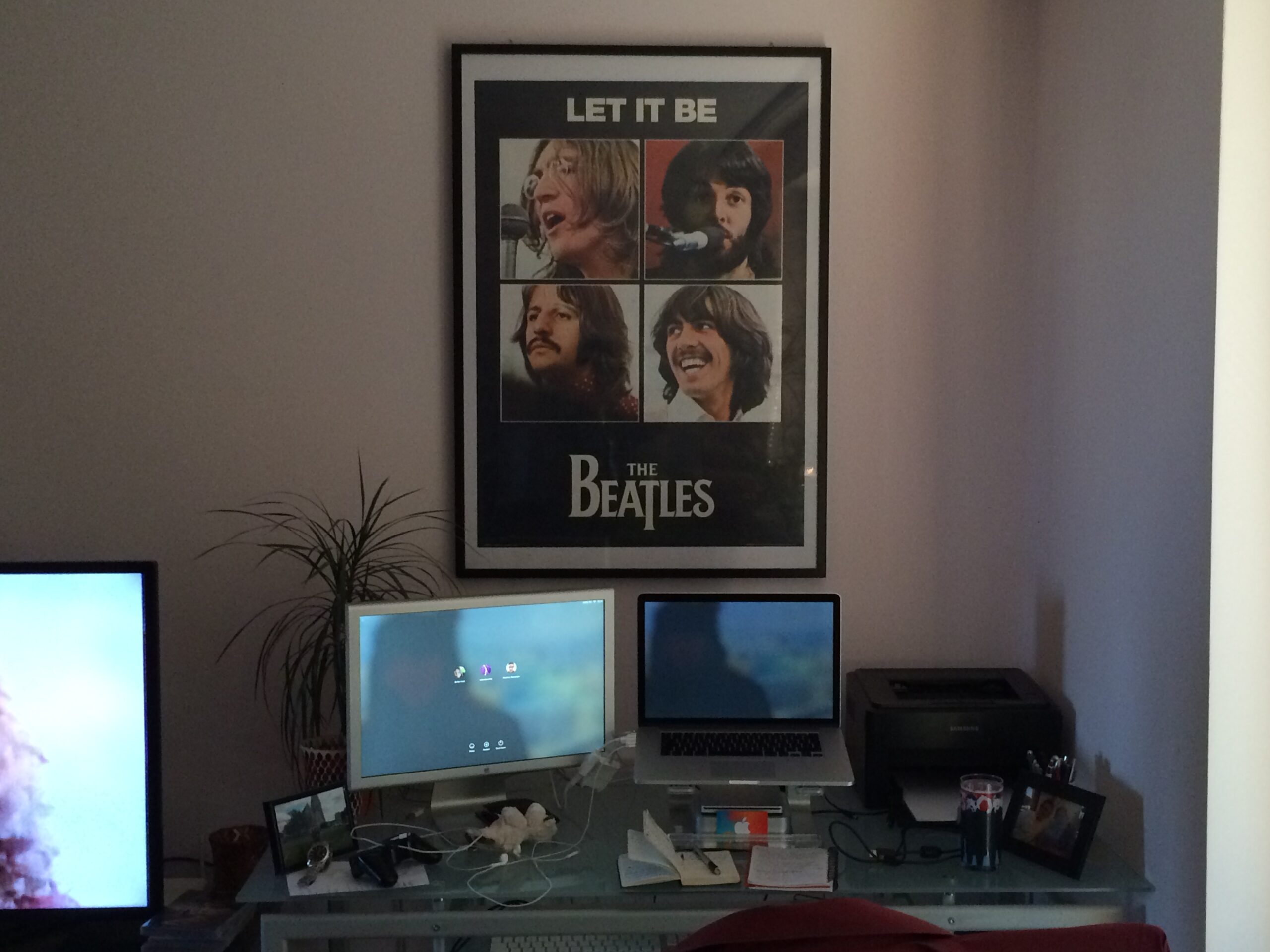
2012 – Retina Goodness – MacBook Pro 15″, Retina, Mid-2012

This one came with flash storage right away, so there was no need to upgrade.
I remember trading in my previous MacBook Pro (see above) to get a discount on this new one.
To this day, I use this one to debug stuff on older versions of macOS, and I even play games on it when I stream. Such a trusty Mac.

Many an app was written on this.

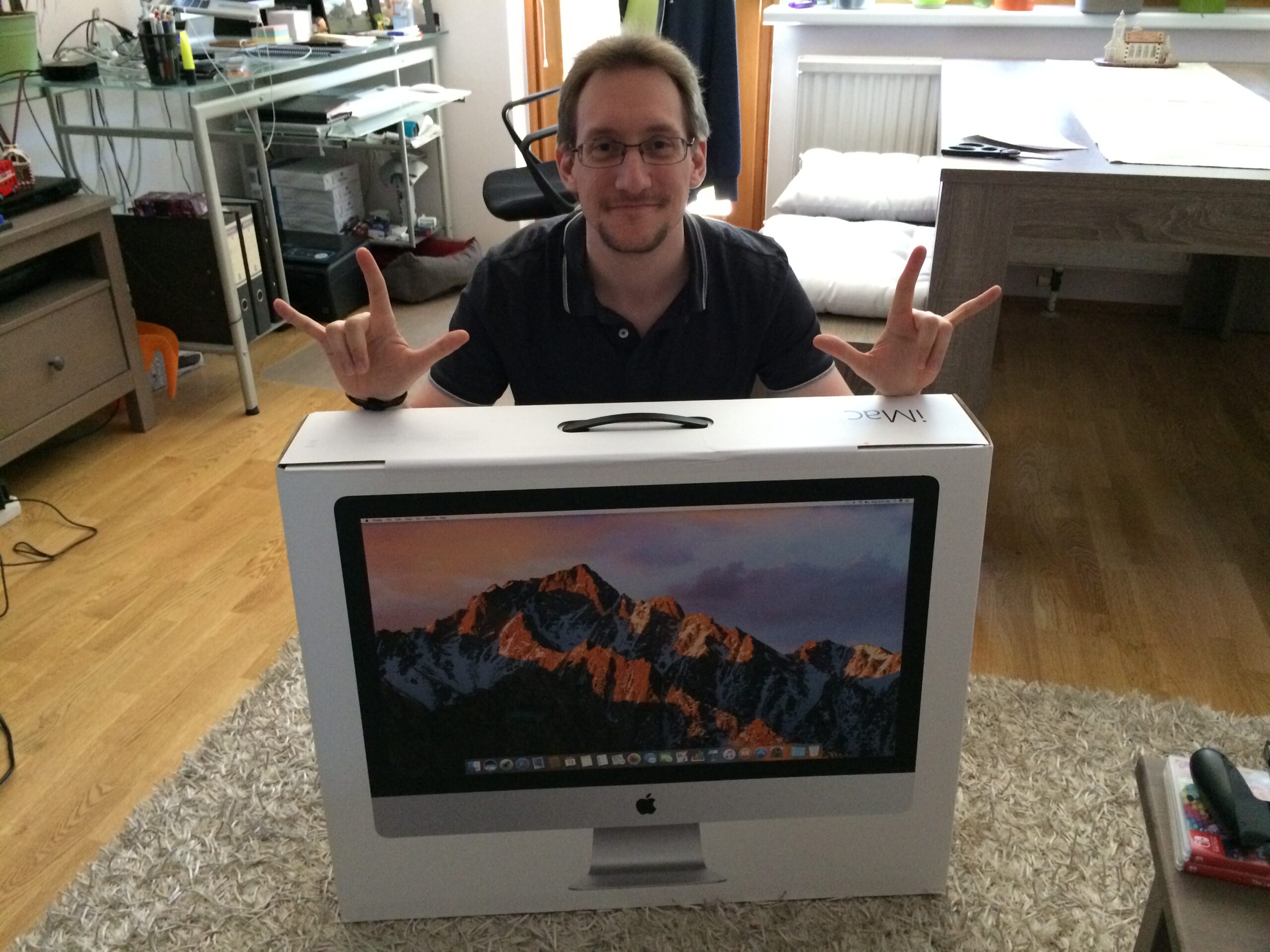
2017 – Back to the desktop Mac – iMac 27″

That 20″ Apple Cinema Display I’d been using with my 15″ MacBook Pro just didn’t cut it for me anymore, so in 2017, I bought the 27″ iMac, beefed-up to the brim. I did not regret it.

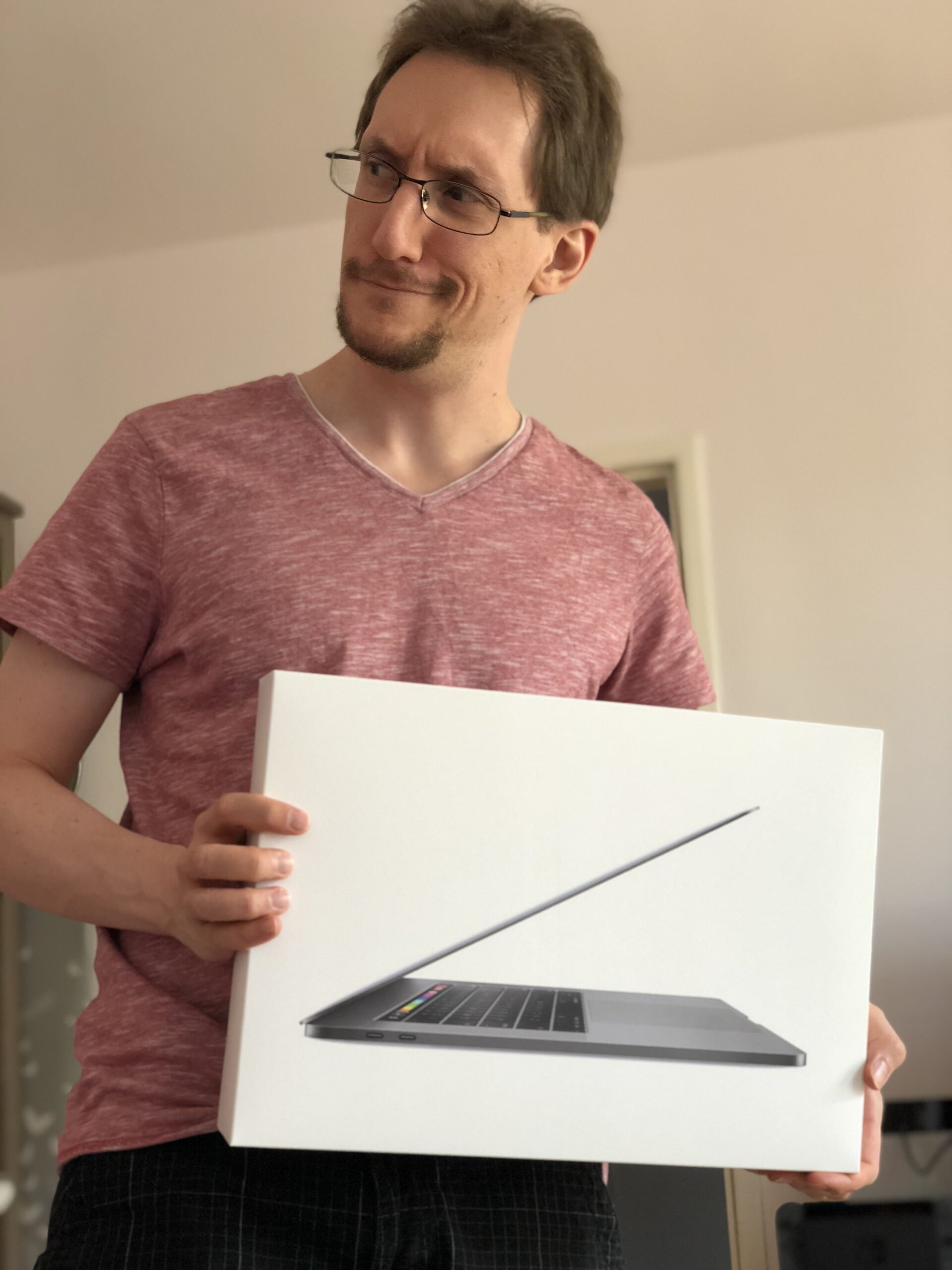
2018 – A mobile addition – MacBook Pro Touch Bar 2018

I was on the road a lot back then for client work, so I had to get a mobile Mac.

Another very good Mac. Although I kept doing most of my work on my iMac.

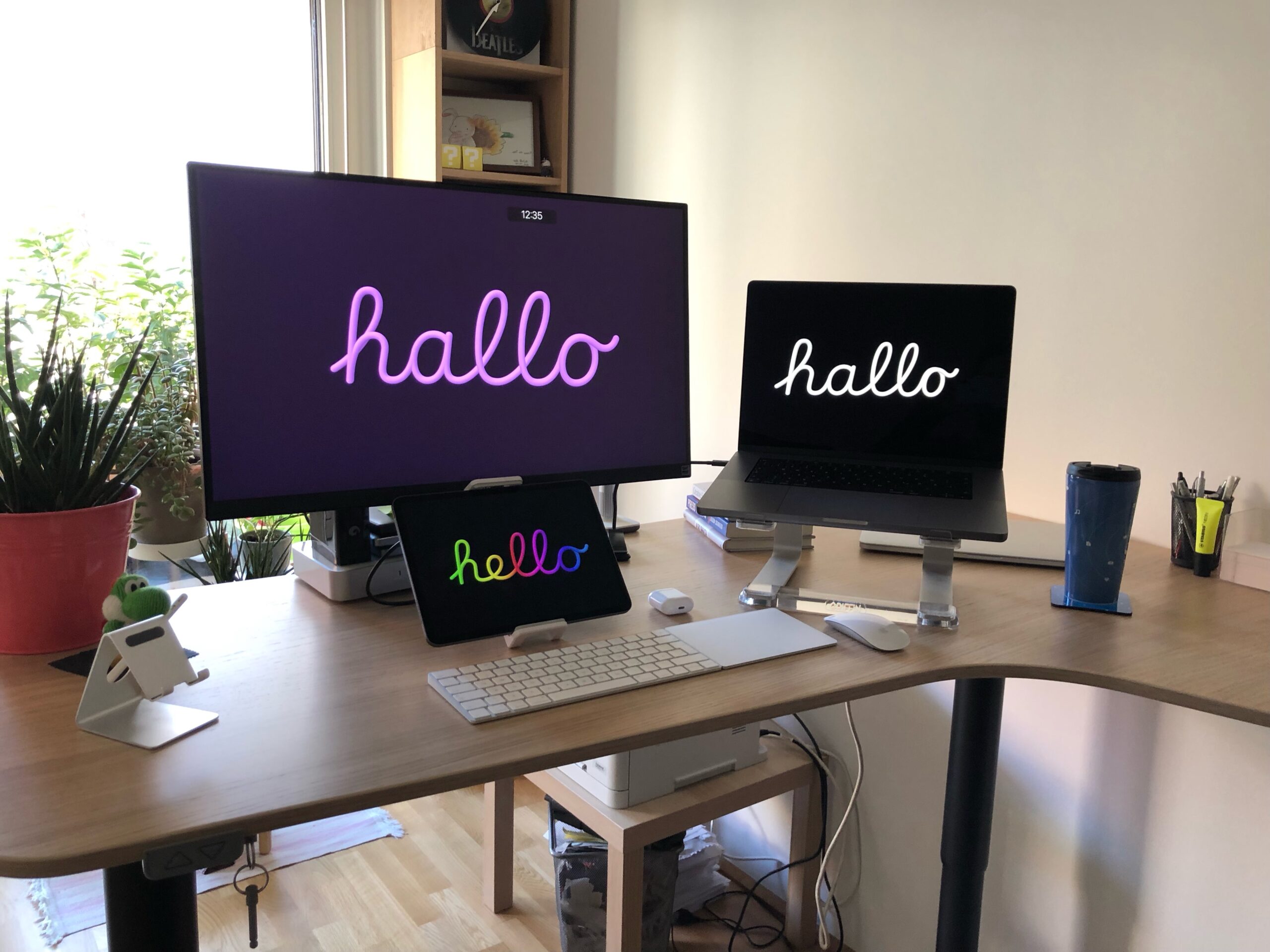
2021 – Apple silicon – MacBook Pro M1 Max

I sold both the iMac and the MacBook Pro 2018 and got myself a MacBook Pro M1 Max (again, beefed up).
It’s been my daily driver ever since and I couldn’t be happier with it.

I’ve always been a very happy Mac owner. So many great memories are tied to every one of these devices (except for that first Intel Mac, which, again, I totally forgot about owning).

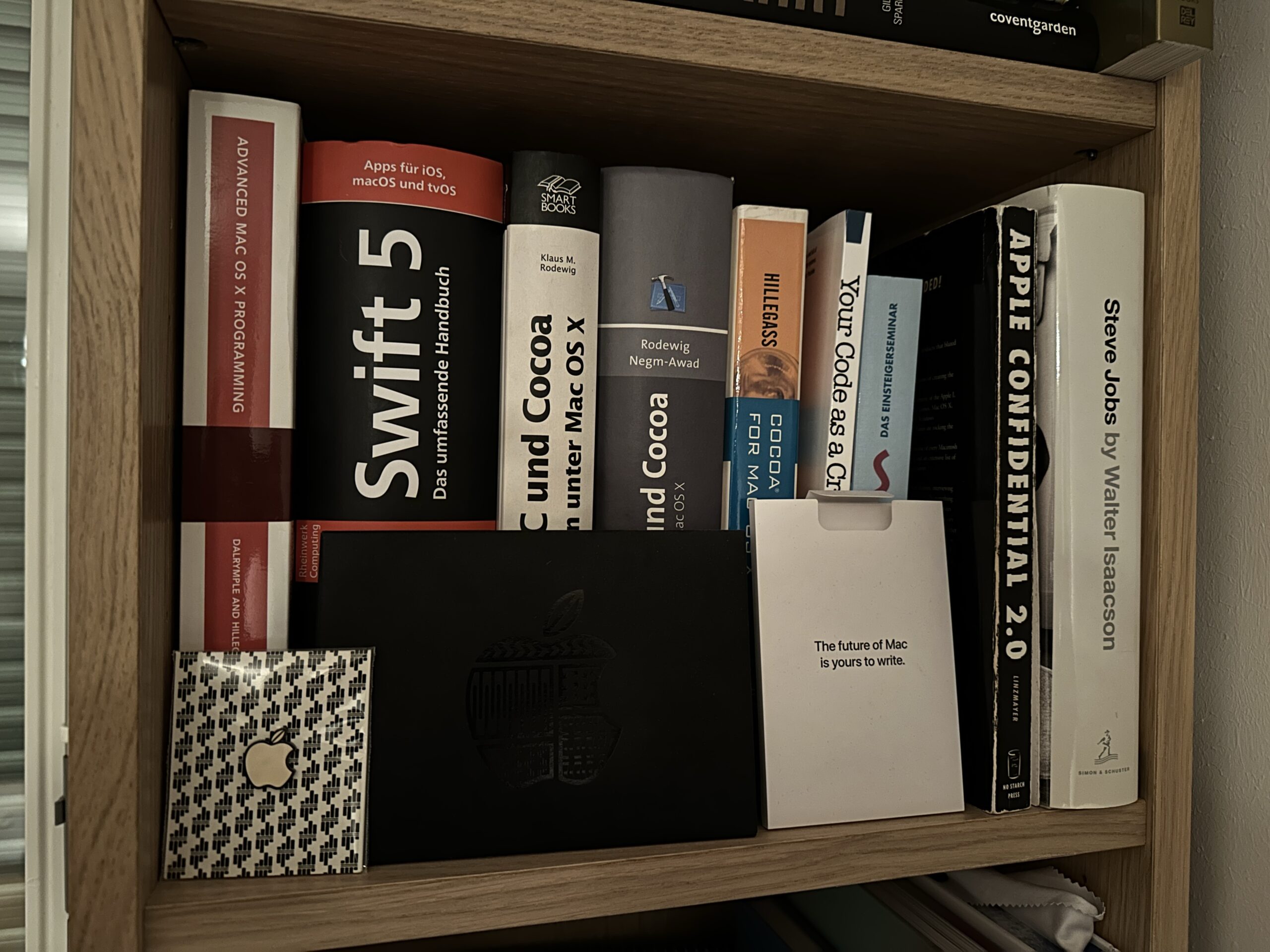
When the M1 developer kit came out, it came with a little packet that said “The future of Mac is yours to write”. I think about that a lot.

Macs I wish I owned

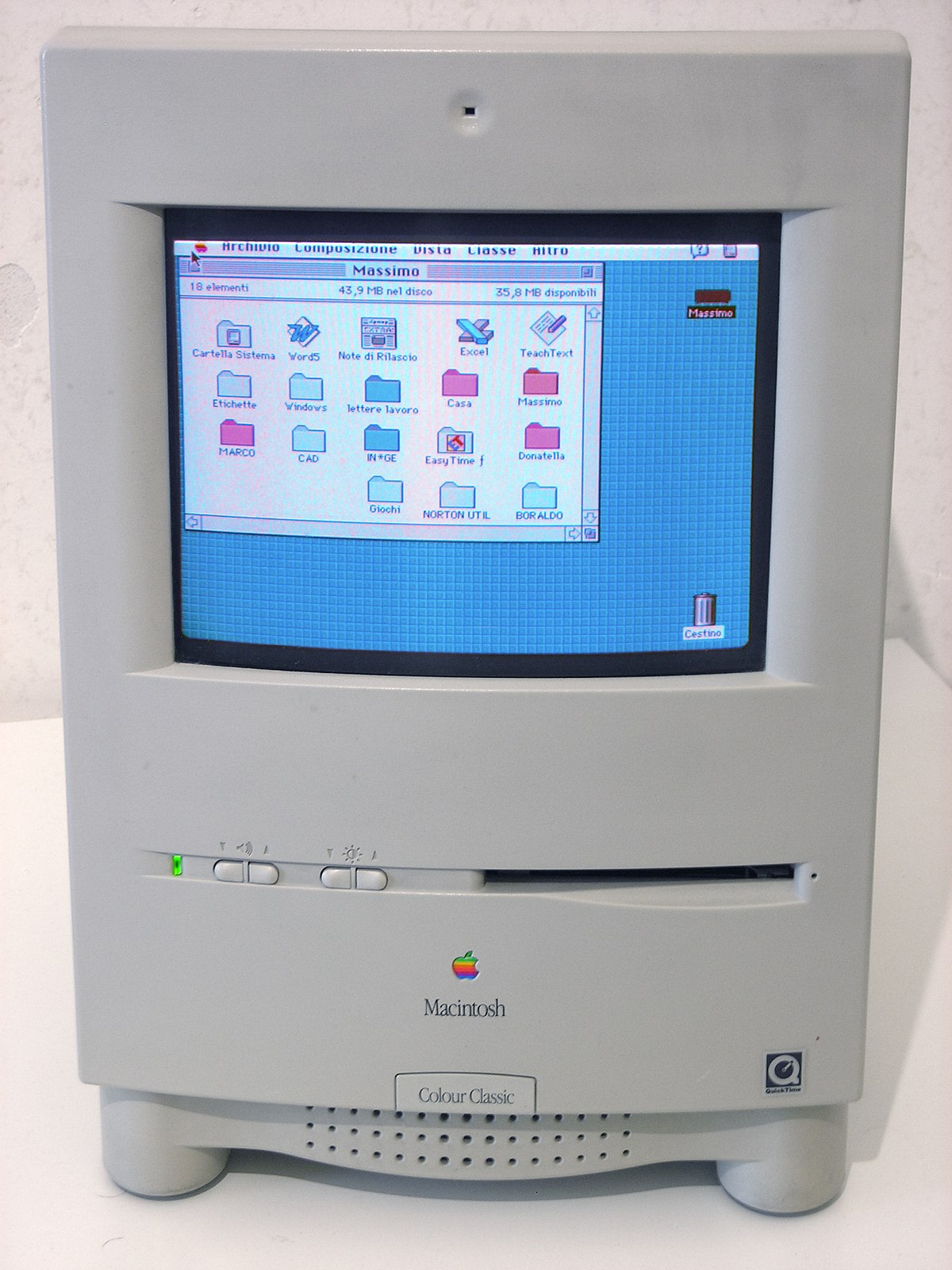
I always adored the Macintosh Color Classic.

Image credit: Wikipedia

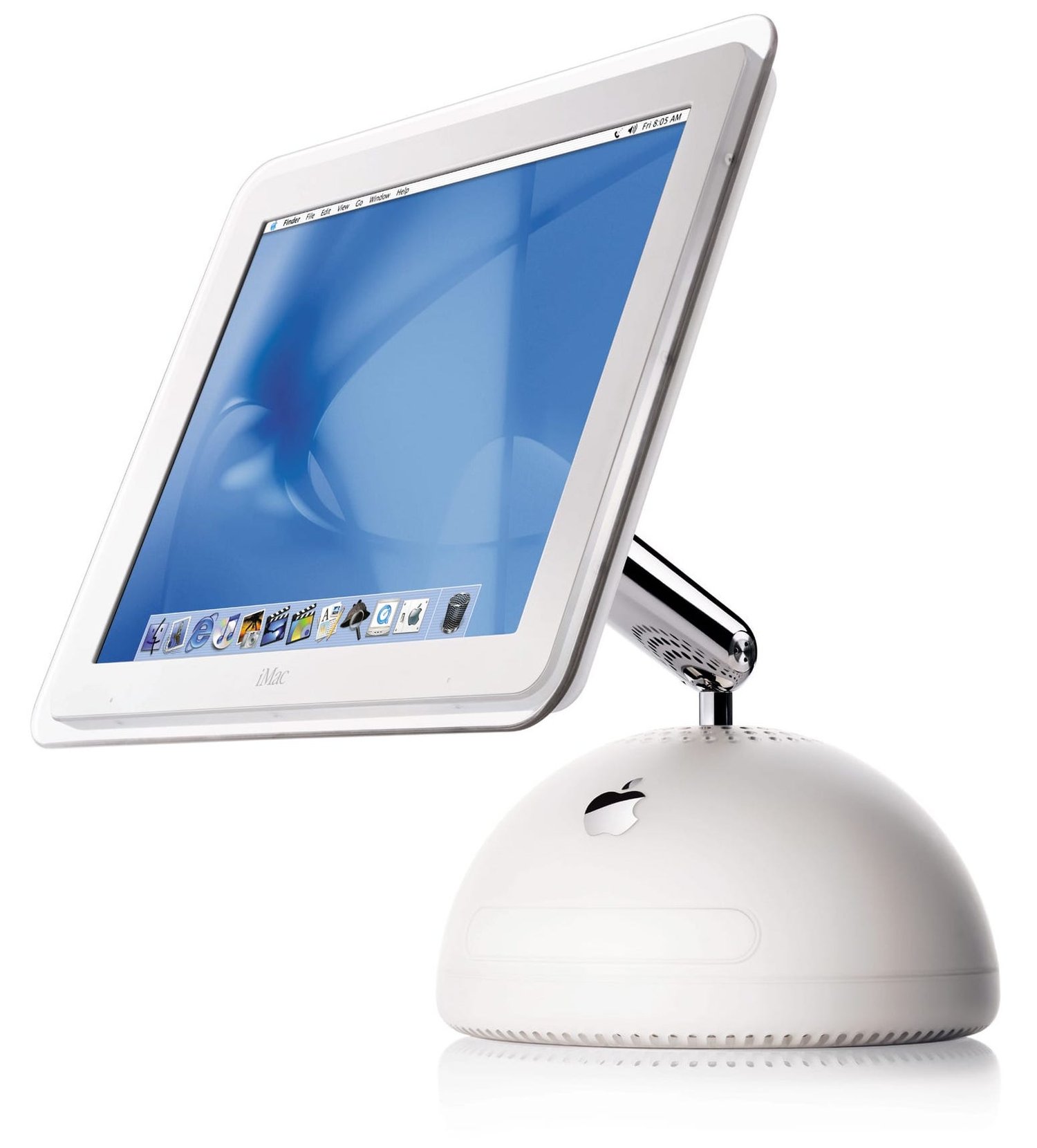
The iMac G4 was just an awesome machine and design, and my brother had one. I always envied him for it. He still plays games on it, too.

This design is due for a revival. Remember the commercials? I dream of them! (not really, but they were soooo good!)

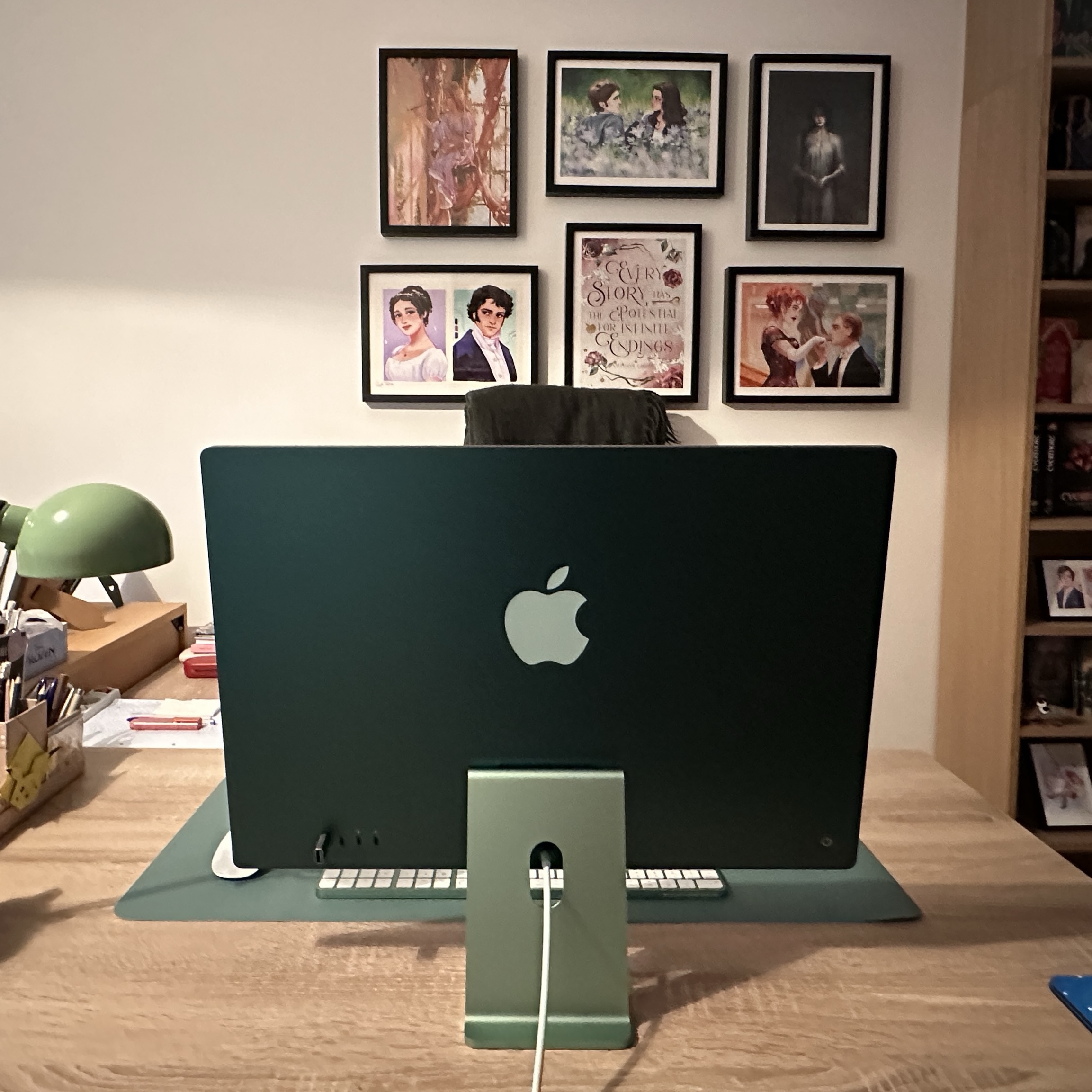
[Update] Honorable mention: my girlfriend’s green iMac M3. It’s glorious. Having used Windows all her life, she’s still getting used to it, but she’s getting there.

Happy 40th, Mac. Way to go. And thank you for the good times.

Read more