Release Notes

Today, I released two quick updates to my apps Yoink for Mac and ScreenFloat. Here’s what’s changed.

Yoink for Mac v3.4.3

Yoink for Mac app icon

– Fixed a rare crash when trying to share files
– Fixes a bug where the keyboard shortcut would act up after deleting a file held by Yoink in Finder or using the app’s Share extension
– Fixed a bug where, after changing the screen’s resolution, Yoink would be misplaced

Links:

Yoink for Mac Website (with free, 15-day demo)
Yoink on the Mac App Store

ScreenFloat v1.5.15

ScreenFloat App Icon

– Fixes a rare crash when dragging the mini-icon of a floating shot


Links:

ScreenFloat Website (with free, 15-day demo)
ScreenFloat on the Mac App Store

Read more

What’s Yoink?

Yoink is an app for Mac, iPad and iPhone that speeds up your daily workflow by simplifying and improving drag and drop.
It accepts almost anything you can drag and stores it for you for later use, like a shelf to temporarily “hold something” for you.

Yoink for Mac Update + SALE (25% off!)

Yoink v3.4.2, available now on the Mac App Store, is a minor maintenance update recommended to everyone using the app.
The update brings improved compatibility with Firefox, Sketch and upcoming versions of Safari, as well as more reliable fetching of favicons (in, where possible, higher resolution) for URLs saved in Yoink.

As I’m sponsoring this week’s AppStories Podcast Episode, Yoink for Mac is – for the entirety of the week – on sale, about 25% off its regular price!

Links:
Yoink for Mac Website (with a free, 15-day trial)
Yoink for Mac Usage Tips
Yoink on the Mac App Store (25% off for the week)

Yoink for iPad and iPhone Update

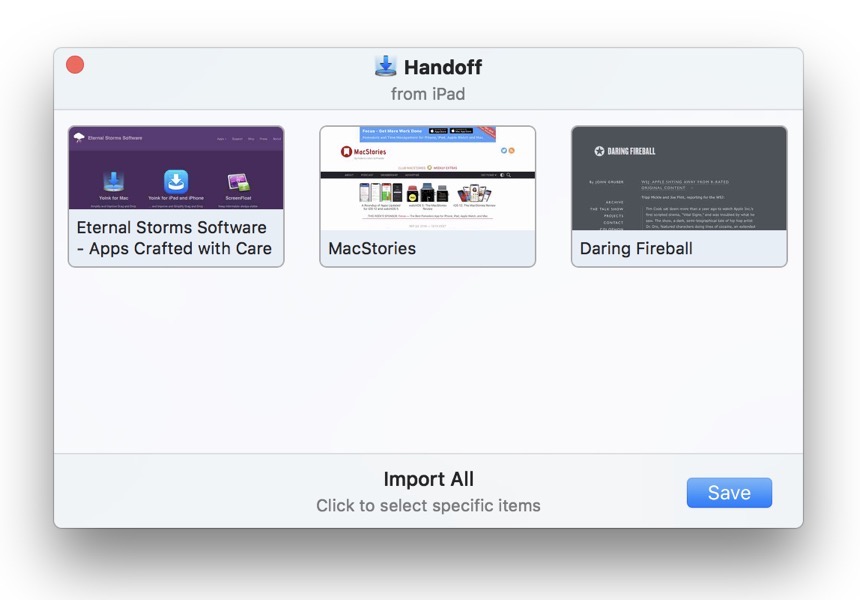
Yoink v1.1.1, available now on the App Store, is also a maintenance update, albeit a larger one.

Among the more than 30 changes, improvements, bug fixes and new features in this update, version 1.1.1 brings:
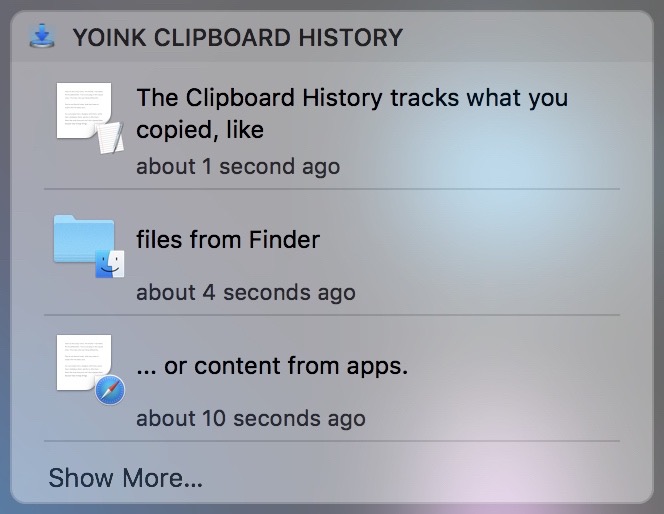
– Live monitoring of your clipboard when used in Side-by-Side or Slide-Over mode
– Yoink’s Today Widget now offers a way to access all of Yoink’s items, instead of only the 3 most recent ones
– Improvements for item previews
– Downloads now show their progress in percent
– Improved reliability of all of Yoink’s extensions (the keyboard, Today Widget, Action/Share extension and File Provider)
– Fixed many (more or less rare) crashes in Yoink and its extensions

Links:
Yoink for iPad and iPhone Website
Yoink for iPad and iPhone Usage Tips
Yoink on the App Store

Video of Yoink’s new “live clipboard observer”

Video of Yoink’s updated Today Widget

Eternal Storms Software Logo

– – – Do you enjoy my blog and/or my software? – – –
Stay up-to-date on all things Eternal Storms Software and join my low-frequency newsletter (one mail a month at most).
Thank you 🙂

Read more

Yoink Mac App Icon

Just a quick note to let you know that Yoink 3.4.1 is now available for download from the Mac App Store. It’s a free upgrade for everyone who’s purchased it before. You can download a 15-day trial for the app here.

Yoink simplifies and improves drag and drop on your Mac.

Moving a file with Yoink

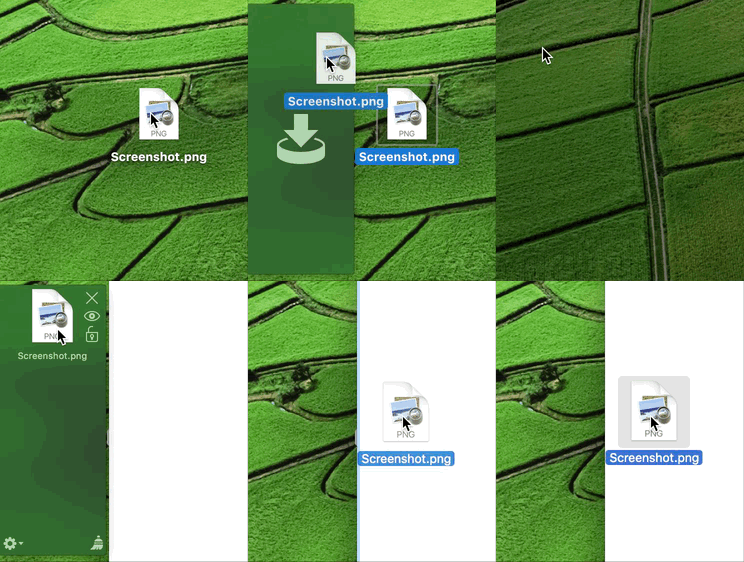
When you start moving a file in Finder, or app-content like an image from a website, Yoink appears at the edge of your screen, offering a temporary place for you to drag the files to. Without having to keep the mouse button pressed, you can now get to the destination of your file quicker and easier.

What’s New in Yoink v3.4.1?

This version is a maintenance update, improving compatibility with a lot of apps (like Apple Mail and Photos, and many 3rd party apps) and increases the overall stability and performance of the app, for example, it fixes a bug that caused Yoink to no longer work until a restart of the app in some cases.

Pricing and Availability

Yoink 3.4.1 is available for purchase on the Mac App Store for the price of $6.99 / £6.99 / €7,99. It is a free update for existing customers of the app. You can download a free, 15-day demo version here, even if you’ve tried Yoink before. Yoink runs on Macs with OS X Lion 10.7.3 or newer. OS X Yosemite or newer is recommended.

If you’re interested in writing about Yoink, you can download the press kit here, which contains screenshots, links to a short video and further information.
Promo codes are available to members of the press at press (at) eternalstorms (dot) at.

Yoink is also available for iPad and iPhone.

Yoink Usage Tips

To get the most out of Yoink, I’m collecting useful tips and tricks for you on this website.

I’m looking forward to hearing from you and to see what you think about Yoink v3.4.1. If you like the app, please consider leaving a little review on the Mac App Store, it would help me out a lot! Should you have trouble with it or have any feedback or questions, please be sure to get in touch, I’d love to hear from you! Thank you.

Eternal Storms Software Logo

– – – Do you enjoy my blog and/or my software? – – –
Stay up-to-date on all things Eternal Storms Software and join my low-frequency newsletter (one mail a month at most).
Thank you 🙂

Read more

Yoink Mac App Icon

I’m happy to tell you that today, Yoink 3.3 is available for download from the Mac App Store. It’s a free upgrade for everyone who’s purchased it before. You can download a 15-day trial for the app here.

What Is Yoink?

Yoink simplifies and improves drag and drop on your Mac.

Simplify.

It simplifies drag and drop by providing a temporary place for files you drag, so you can navigate more easily to the destination of the files.
It’s especially useful when trying to move or copy files between different windows, Spaces or (fullscreen) applications.

Moving a file with Yoink

When you start moving a file in Finder, or app-content like an image from a website, Yoink appears at the edge of your screen, offering a temporary place for you to drag the files to. Without having to keep the mouse button pressed, you can now get to the destination of your file quicker and easier.

Improve.

Drag and drop is improved in several ways, including:

  • Collect multiple files from different locations you’d like to move to one destination without having to go back and forth
  • Split up a multiple-files-drag so you can move files to different places without having to go back and forth
  • Copy files to multiple locations more efficiently

Customize.

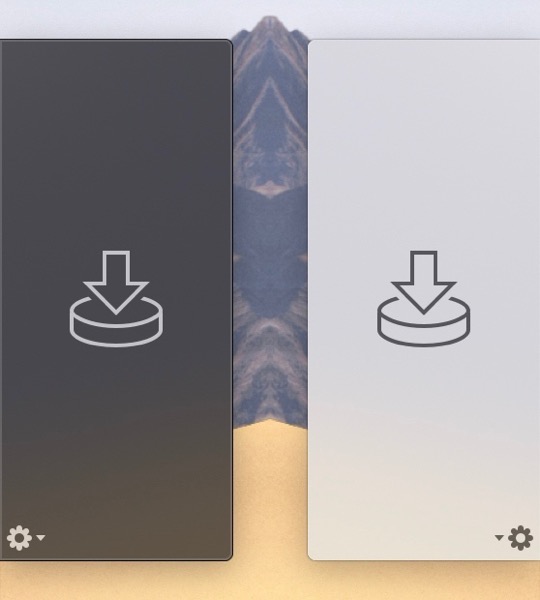
You can customize Yoink’s behavior so it fits in perfectly with your workflow. Aside from having to option to show it at either edge of your screen (at the top, center or bottom), you can set it up to only appear when you drag files to the edge of your screen or to appear directly at your mouse cursor when you start dragging, making drag and drop even faster.

Yoink appearing at the mouse cursor

For applications where you don’t need Yoink, add them to a “blacklist”, so Yoink doesn’t interfere with your work. A keyboard shortcut (by default, F5) lets you manually show or hide it, should you need it anyways.

What’s New in Yoink 3.3?

Version 3.3 lets you bring back files to the app that you’ve previously removed, in case you find you need to move or copy the file(s) somewhere else.
Just keep its keyboard shortcut pressed (by default, F5)

Press and Hold Shortcut Key in Yoink

or right-click onto Yoink to bring back previously removed files:

Right-click onto Yoink

Webloc files can now optionally show favicons for quicker identification:

Yoink loading favicons for webloc files

Further Improvements

  • Yoink now includes macOS’ “Share” menu to more easily share files to different services
  • More easily add links from your browser to Yoink by right-clicking onto it in your browser and selecting Share -> Yoink
  • A new Alfred File Action to make sending files from Alfred to Yoink possible (activate it in Yoink’s “Advanced” preferences)
  • Many improvements, refinements and bug fixes

Pricing and Availability

Yoink 3.3 is available for purchase on the Mac App Store for the price of $6.99 / £6.99 / €7,99. It is a free update for existing customers of the app.
You can download a free, 15-day demo version here, even if you’ve tried Yoink before. Yoink runs on Macs with OS X Lion 10.7.3 or newer. OS X Yosemite or newer is recommended.

If you’re interested in writing about Yoink, you can download the press kit here, which contains screenshots, links to a short video and further information.
Promo codes are available to members of the press at press (at) eternalstorms (dot) at.

Yoink Usage Tips

To get the most out of Yoink, I’m collecting useful tips and tricks for you on this website.

I’m looking forward to hearing from you and to see what you think about Yoink v3.3. If you like the app, please consider leaving a little review on the Mac App Store, it would help me out a lot!
Should you have trouble with it or have any feedback or questions, please be sure to get in touch, I’d love to hear from you! Thank you.

Eternal Storms Software Logo

– – – Do you enjoy my blog and/or my software? – – –
Stay up-to-date on all things Eternal Storms Software and join my low-frequency newsletter (one mail a month at most). Thank you 🙂

Read more