Apps

YoinkIcon

Presenting: Yoink – taking the drag out of drag and drop

Functionality

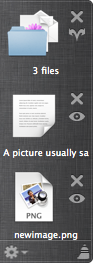
Have you ever tried dragging something from, say, Finder, to a fullscreen app in Lion? It’s a pain. This is where Yoink comes in. Every time you start dragging a file, Yoink shows a window you can drag those files to. Then you just switch to the space or fullscreen app you’d like to drop the files to and drag them out of Yoink to the app. Very simple. There’s a video on the website which does a pretty good job at explaining what Yoink does, exactly.

The idea behind Yoink

The idea came to me while trying to drag a file from Finder to a new message in fullscreen Mail.app. I just couldn’t do it. Then I tried to drag images from Finder to Xcode in fullscreen. Not very easy either. Thus, Yoink was born.

The name

The original app for this little app was DragHelper. Yes, I know – why did I ever change it?
Well, I was watching the Simpsons, in the episode where Bart takes the last Doughnut or bearclaw or whatever it was from Kent Brockman’s plate by exclaiming “Yoink!” (to which Brockman asks himself: Yoink?!?) and I thought – that’d be a great name for an app that “yoinks” the dragged files.

Why Lion only?

The main reason is because I didn’t see the problem on Snow Leopard. The other reason is that I really wanted to try out the new NSTableView view-based APIs 🙂 They’re very nice and shiny.

The menu bar icon controversy

The number one request I get from customers is to put in an option to remove the menu bar icon (the black down arrow). Well, I didn’t want it in there in the first place.
The first time I submitted Yoink to the Mac App Store, it got rejected because it didn’t have a way to quit the app if Yoink’s window wasn’t visible (the rejection note stated (somewhat paraphrased) “The app can’t be quit if the window is not visible”).

So I thought to myself: what’s the least obtrusive way to make it quittable at any given time _without_ putting an icon in the menu bar. Because why for the sweet love of God would Yoink need a menu bar icon? It’s a background app, for crying out loud.
So I put in a global hotkey for quitting Yoink and made it clear in the splash screen. Submitted it again.

Another rejection followed. This time, the rejection note stated “There needs to be a menu bar or an application menu or a status menu to include a quit item” (why this wasn’t stated in the first rejection is beyond me, but to err is human, and I’ve erred quite a couple of times, so I’m not complaining). Since it’s a background app, the first two were not possible, since background apps do not have their own menu bars – the only thing that was left was the menu bar icon. So I put it in there, and that was that.

Since I was pressed for time, I didn’t implement an option to hide the menu bar icon, but believe me, the upcoming update will include such an option. As I said, I don’t want that menu bar icon either. I just don’t see it make any sense.

The no launch on login controversy

The second most requested feature was to add a “Add to login items” button in Yoink’s preferences.
I tried to implement it, but in the sandbox environment of Lion, in which Yoink is running, it is currently not possible to do. I’ll have to wait until Apple fixes this until I can implement it.

Pricing and availability

Yoink is available exclusively through the Mac App Store for $2.99/€2.39. A free 15-day trial is available at the website (direct download link)

As always, I very much appreciate your feedback, bug reports and feature requests, so please keep them coming 🙂

Thank you and enjoy,
Matthias

Read more

gimmesometune

One 180 turn plus another 180 turn means – we’re back where we started.

A few months back, I said GimmeSomeTune would make a 180 turn by using Gracenote as its source of information (lyrics, song info, artwork).

Although I really wanted this to happen, for all the reasons I mentioned in that previous blog post, it doesn’t seem like it will happen. I’ve contacted Gracenote numerous times and never heard back. Either they’re very, very busy or they just don’t care and don’t want my business. So be it.

So be it!

I’ll do what lots of other apps (including GimmeSomeTune) do – turn to websites that have the according information available. I’ve done it before, I’ll do it again – only better. I’ll use several sources for lyrics and artwork, many of which you, the users, have suggested – thank you for that. I have several sources for lyrics and artwork, so if one service goes, there’ll be a backup service I can turn to.

Truth be told…

I really was looking forward to using Gracenote, because they do offer a great service.

When it became clear that Gracenote couldn’t be bothered to at least write me a “buzz off” e-Mail, I looked into other options. I still have no clue what Gracenote is charging, but it can’t be more than what the others are. It is really hard for an indie developer to use these services and not go hungry while doing so.

Who knows, maybe I’ll get an e-Mail from Gracenote some time this lifetime, then I may reconsider.

Status right now

So what’s the status of GimmeSomeTune right now?

Well, I lost a little time due to my work on Records (which is currently exclusively available through the MacBuzzer bundle) which had to be done for the bundle, so there’s that.

That being said, artwork, lyrics, last.fm and song recognition are all working right now, and beautifully, might I add. It’s almost magical.

Now you might ask, great, so when’s the release, because what’s there left to do?

Everything else. The interface, the popup window, keyboard shortcuts and testing, testing, testing (especially for song recognition, which is quite tricky).

One more thing on iPod last.fm scrobbling

In the blog post I mentioned before, I promised you last.fm scrobbling for tracks you played on your iPod. Turns out it’s not that easy to do.
I will try to implement it for the 1.0 release, but if it takes too long, I’ll move on to other things and get back to it when I’m working on a later update.
Sooner or later, it’ll be in there. But I don’t think it’s that important for a 1.0 release to spend a lot of time on it if I want a timely release (which I, and I assume most of you, do). I hope you understand.


As always, I’m open for suggestions and feedback, so please leave a comment, contact me on twitter (see below) or write me an e-Mail. Whichever you prefer is fine with me 🙂

Thank you for your time and interest,
Matthias


[twitter-follow screen_name=’eternalstorms’ show_count=’no’]
[twitter-follow screen_name=’gimmesometune’ show_count=’no’]

Read more

icloudPhoto credit: geeky-gadgets.com

iCloud is a big deal for me, and, I believe, for lots of other developers out there as well. Syncing data has become a lot easier with this new service and the according APIs. I once took a glimpse at the MobileMe syncing APIs and my head still spins a little.

What does it mean for flickery?

I’m still thinking of the implications for flickery. I got some nice ideas from users of flickery on twitter and I’m already looking into what is possible and makes sense in terms of flickery.

I could see flickery syncing the items yet to be uploaded or loocking into iCloud’s photo queue and offer an option to upload those items or at least present them in some way in flickery’s upload view.

What does it mean for ScreenFloat?

For ScreenFloat, In a nutshell, it will sync your shots between your devices (I don’t know if a iPhone/iPad version of ScreenFloat is useful, but I’m certainly entertaining the idea of having the shots on, say, your iPad, as well).
It will sync which shots are currently open and floating, which are hidden, which are in your shots browser, it will sync your categories in your shots browser, and their contents.

This is something I wanted to do from the beginning and I’ve been looking into services like DropBox to implement it. Now with iCloud (and yes, I realize it’s still a few months away) it’s even easier, faster, more reliable and more secure to implement.

What does it mean for GimmeSomeTune?

I don’t believe GimmeSomeTune could have any advantages of iCloud in terms of sync. If you find one, leave a comment or write me an e-Mail 🙂

Upcoming Stuff?

I have an upcoming app where iCloud will be perfect and will replace a server-client environment with tedious networking stuff. Stay tuned on that 🙂

[Update (18.06.2011)]

My good friend and honored developer colleague Christian Kienle wrote about the impact that iCloud may have on his applications on his blog.
It’s an interesting read, especially if you’re interested in how you will benefit from iCloud in the near future.

[twitter-follow screen_name=’eternalstorms’ show_count=’no’]
[twitter-follow screen_name=’screenfloatapp’ show_count=’no’] 
[twitter-follow screen_name=’flickeryapp’ show_count=’no’]

Read more

Thanks to your feedback, I’ve reached a decision on the Mac App Store which I think is fair and I’m pretty sure you will like as well.

Result of earlier blog Post

In an earlier blog post I asked you if you were ok with flickery being Mac App Store exclusive with version 2.0 where you wouldn’t be able to receive the discount I promised you when you purchased flickery 1.x

Responses have been generally very positive, I’m glad people are very accepting of the Mac App Store and my wanting to move my apps there.

However, I did think of a way where existing customers wouldn’t lose their discount.

flickery on Mac App Store decision

  • flickery will be released these days (once it’s been positively reviewed by Apple staff) on the Mac App Store in version 1.9.21
    Version 1.9.21, which brings a few fixes, will be available for non-Mac-App-Store customers as well.
    It will be priced at €18.99, nearly exactly the same as on the website.
  • Updates up until version 2.0 will be available for Mac App Store users and non-Mac App Store users alike.
  • flickery 2.0 will be Mac App Store exclusive
    Once version 2.0 is released, it will be offered at a discount, as promised to my existing customers so they can easily transition to the Mac App Store version.
    flickery 2.0 will be a free update to users who purchase flickery 1.9.21 or later on the Mac App Store.

I hope you like this solution, please let me know in the comments.

[twitter-follow screen_name=’eternalstorms’ show_count=’yes’]

Read more