Yoink for Mac

If you’re using Yoink on macOS Sequoia, you might have encountered an issue where Yoink would not accept any files anymore:

Or if you’re using Transloader on macOS Sequoia, you might find your Link- and File Actions not working correctly:
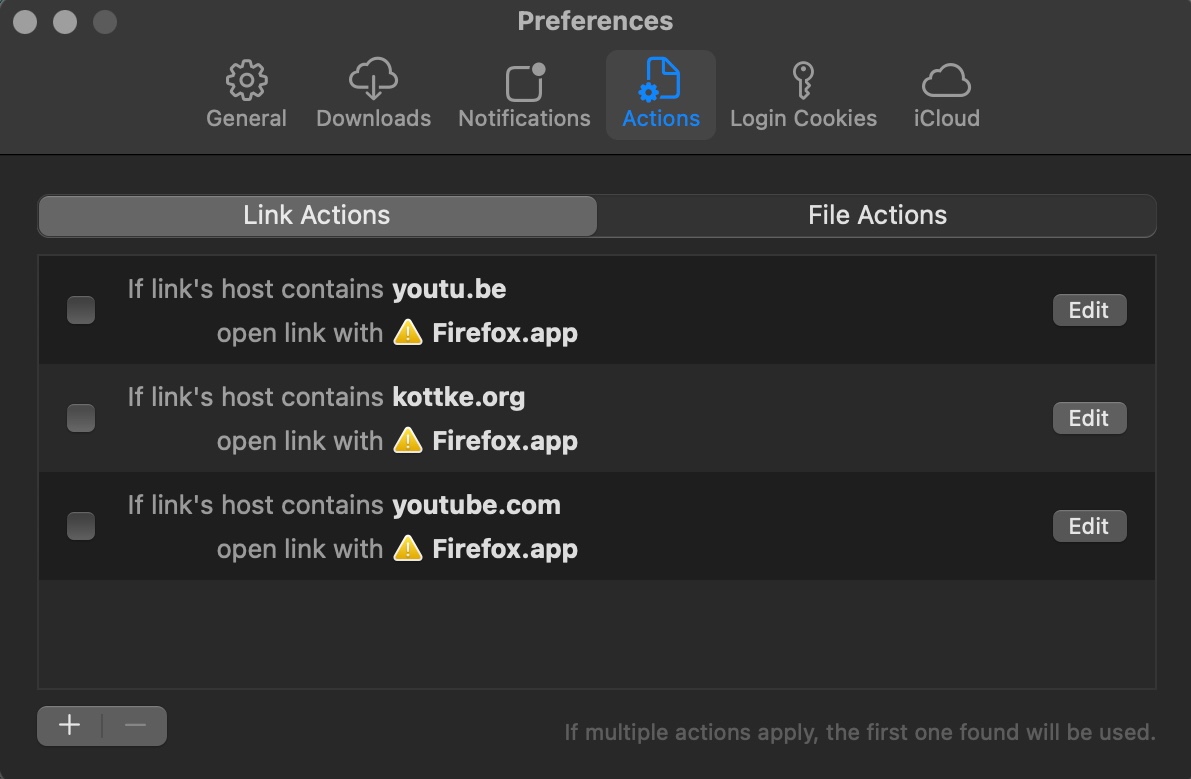
Basically any app that handles file URLs and saves them as a security-scoped bookmark for later access can be bitten by this bug, currently occurring on macOS 15.0 and 15.0.1.

This is caused by a bug in the macOS daemon process called “ScopedBookmarkAgent”, according to a CoreOS engineer on macOS, as stated on the Apple Developer Forums:

What you’re hitting is bug in “ScopedBookmarksAgent” [sic] which can cause it hang if it happens to have been launched when the keychain was also locked (for example, late in the screen lock process). That bug is fixed as of macOS 15.1 beta 4.

– DTS Engineer, CoreOS/Hardware

The downside is that 3rd party developers like myself cannot fix this in their apps. Apple has to, in macOS.
The upside is that with macOS 15.1, the bug will reportedly be fixed and things should work as they used to.


As a temporary workaround, you can:
– Quit Yoink (or any other afflicted app)
– Using Activity Monitor.app, quit the ScopedBookmarkAgent process
– Relaunch Yoink (or any other afflicted app), and it should work again (for a while)


My apologies for the inconvenience. Here’s to hoping macOS 15.1 will be released soon.

Cheers,
– Matthias

Read more

Yoink for Mac v3.6.91 is now available, containing a couple of minor improvements and bug fixes.

What is Yoink?

Yoink appears at the edge of your screen when you begin to drag something, allowing you to place it there so you can more easily and comfortably navigate to the destination of your files.

Yoink in Action

Not only can you drag files to it, but also app-content like images from websites, text snippets, urls, and more.

“This app saved tons of hours for me and boosted my productivity. Totally recommended.”

Nebulan, Mac App Store

What’s New in Yoink v3.6.91?

  • It improves the app’s internal handling of shared and dragged files
  • Reduces the amount of memory the favicon fetcher subprocess (for urls placed in Yoink) uses
  • Fixes a menu item’s case from lower-case to Capitalized Case
  • Fixes a bug where Yoink could wait forever for a file preview icon to be created, even if it failed
  • Fixes a bug where sometimes Yoink would “steal” focus from other apps

Availability and Links

Yoink is a one-time purchase on the Mac App Store, or available as part of a Setapp subscription.
A free, 28-day trial is available on the website. The app is available in English, German, French, Japanese, Korean, Simplified Chinese, Italian and Portuguese.

Yoink Website (+ free trial)
Yoink on the Mac App Store (one-time purchase)
Eternal Storms Software Productivity Mac App Store Bundle (includes Yoink, ScreenFloat and Transloader at ~25% off)
Yoink on Setapp (dozens of apps, one subscription)

Yoink for Mac Usage Tips

Yoink is also available for iPhone and iPad

Contact & Connect


Enjoy : )


Read more

Today, in 2011, I released Yoink v1.0 to the public, and it looked like this:

I know, right? Its icon looked a bit different, too:

Anyway, long story short, I’m having a sale over this weekend on the App Stores, where you can purchase Yoink for Mac and Yoink for iPad and iPhone at a discount.

Yoink for Mac on the Mac App Store
USD 8.99 / GBP 8.99 / EUR 9,99 -> USD 4.99 / GBP 4.99 / EUR 5,99

Yoink for iPad and iPhone on the iOS App Store
USD 4.99 / GBP 4.99 / EUR 6,99 -> USD 3.99 / GBP 3.99 / EUR 3,99

Enjoy 😊

Read more